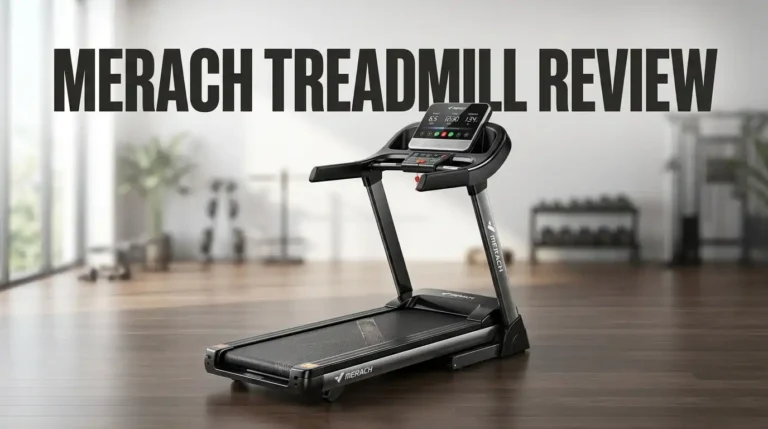
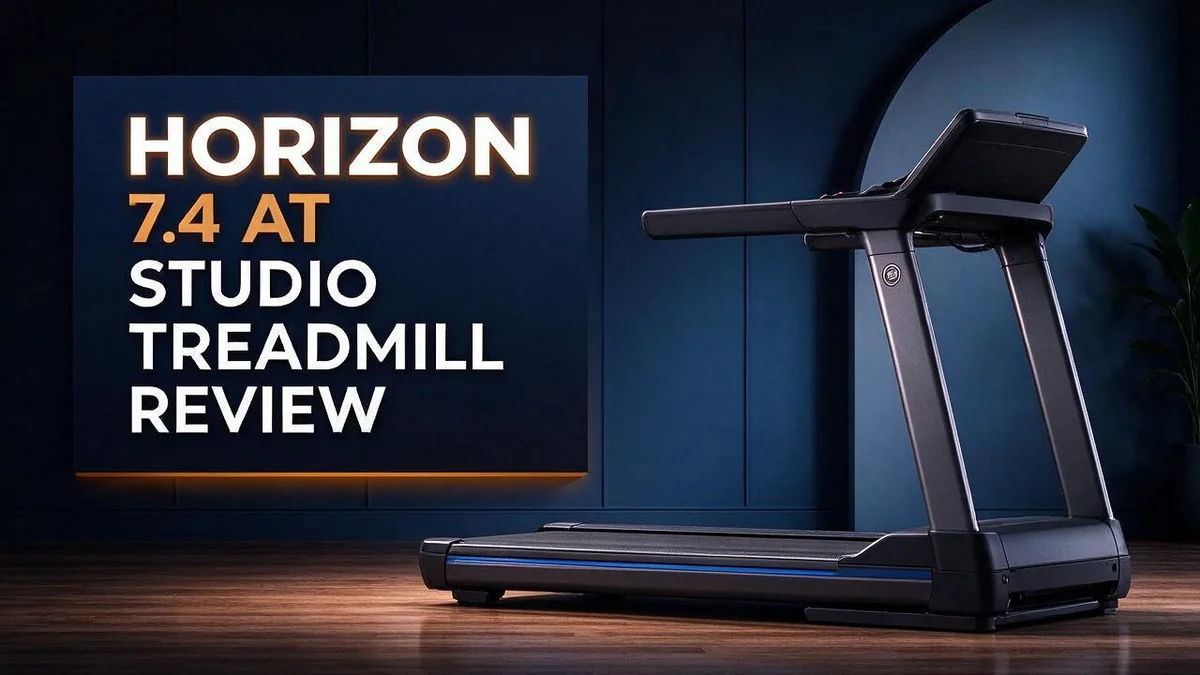
Horizon 7.4 AT Studio Treadmill Review: The Ultimate Guide
Looking for a treadmill that feels steady and fun? The Horizon 7.4 AT Studio Treadmill could be a great fit for your home workouts.
It offers Bluetooth and incline for more variety. You can sync it with Zwift, Peloton, and STUDIO for guided training.
The wide belt gives you plenty of room to move. The deck also offers solid stability at all speeds, along with clear, easy controls.
In this review, we cover what works well and what needs attention. We also compare it with popular options like the Sole F80 and the NordicTrack T 6.5 S. Let’s see if this treadmill belongs in your home.
In a Nutshell
-
Stable ride at every speed: Many runners say this treadmill feels solid from a gentle walk to a fast run. Stability matters most when you push your pace, and this model holds up well.
-
Clear and easy controls: The buttons and display are simple to read. You can change speed and settings without stopping your workout.
-
Comfortable deck feel: The cushioning feels adequate for regular sessions. Many users find it easier on the legs than a hard surface would be.
-
Lifetime coverage on key parts: The frame and motor come with lifetime coverage. This gives you long-term peace of mind after your purchase.
-
Works with popular fitness apps: It syncs with Zwift, Peloton, and STUDIO. You can follow virtual rides and guided classes on one machine.
-
Test the belt on flat ground: Some users report belt slip when they run with no incline. Take a few test runs at a flat setting before you start your routine.
Build and Stability


Last update on 2026-11-08 / Affiliate links / Images from Amazon Product Advertising API
Stability matters more than many buyers expect. A wobbly treadmill can throw off your stride. Your setup shapes how steady the Horizon 7.4 AT Studio Treadmill feels.
Start with the floor. Place the unit on a flat, level surface. Hard floors give a firm base. Soft carpet may let the frame sway a little.
Clear the space around it. Leave room behind and beside the deck. You need a safe spot to step off when you want to stop.
Check the deck after setup. Stand on the side rails. Then step gently onto the belt and notice whether the deck shifts under your weight. If it does, adjust the feet if your model has them.
Listen for noise. A stable frame usually runs quiet. Loose parts can rattle. Listen during a warm up walk and again during a faster run.
Tighten what you can reach. Check any bolts or fittings you can access with simple tools. Recheck them after a few weeks of regular use.
Watch the belt and frame together. The belt is the part you feel most. Users have reported belt slip when running with no incline. A level frame can help keep the belt centered, so the two work together.
Know what we could not confirm. Motor power, belt dimensions, and top speed were not part of our research. We cannot judge those parts from the current information. The checks above offer a practical way to judge the build for yourself.
Plan your moves carefully. Move the treadmill only when you need to. Frequent moves can loosen parts over time. Keep the manual nearby for reference.
Set up for long term use. Look over the frame every few months. A few minutes of care helps the ride feel steady for years.
Running Surface and Cushioning
The running surface is where your body meets the machine with every step. It shapes how your legs feel during a workout and after it ends.
Cushioning changes how your joints handle impact. Each stride sends force through your ankles, knees, and hips. A deck with some give can absorb part of that force before it reaches your body.
The Horizon 7.4 AT Studio Treadmill offers a middle ground for everyday use. Walkers and light joggers will likely find the deck works well for regular sessions.
Faster running adds more load. Sprints and long intervals press harder on the deck than an easy walk does. Pay close attention to how your shins and knees respond after those sessions.
The deck length also affects your stride. Research notes describe a belt long enough for two runners. That extra room lets you find a natural rhythm without shortening your steps.
Your shoes matter just as much as the deck. Supportive running shoes spread pressure across the foot. Worn out shoes can make even a good surface feel harsh.
Think about outdoor running too. Pavement is usually harder than a treadmill deck. Many runners notice the difference during their first few indoor sessions.
Build up slowly on any new surface. Start with short runs and add time each week. Your body needs a few sessions to adjust to a new stride pattern.
If you want a deck built mainly for running, compare this model with the Horizon T202. One list ranks that model as a strong choice for runners.
Keep a simple log. Write down how your legs feel after each session. Patterns will show up over a few weeks, and those notes help you decide if the surface suits your goals.
Choose a surface that feels right for your body. Test it, listen to your joints, and adjust your plan as needed.
Smart Controls and App Sync
The Horizon 7.4 AT Studio Treadmill connects to phones and tablets through Bluetooth. This link lets the app guide your session from start to finish. Many runners like this setup because it keeps workouts simple.
Pair your device before the first run. Turn on Bluetooth on your phone. Open the app and follow the on screen prompts. Keep the phone close to the console while you connect.
Choose a stable spot for your phone. A holder at eye level keeps your posture upright. Keep the screen away from sweat and water bottles.
Set up your workout before you step onto the belt. Pick a program in the app and review the target speed. Read the first few minutes of instructions so you know what to expect.
Plan a test session at a low speed. This helps you check the link without pressure. You can add more intensity once everything feels smooth.
Phone calls and notifications can pop up during a run. Turn on do not disturb mode before you start. This keeps your focus on the workout and the belt.
Update your apps often. New versions can change how pairing works. Check the app store once a month. Restart both devices if the link drops.
Incline changes from the app can match hill workouts. Watch the console during the first few changes. Confirm that the speed on the screen matches the speed the app shows.
Treat the app as a guide, not a boss. Your body knows when a pace feels wrong. Stop the session if the belt speed jumps or the app freezes. Safety always comes first.
Think about data privacy too. Review which apps can access your workout history. Turn off any sharing you do not want.
Connection problems often come from distance or nearby wireless gear. Move wireless headphones and routers away from the console. A quick reset fixes most issues in minutes. Keep the console clean so the display stays easy to read.
Top 3 Alternatives
If you want a treadmill that fits your routine, these three options are worth a look. Each one offers a different mix of space, features, and training style. Read on to see which one might suit you best.
Sole F63

Last update on 2026-11-08 / Affiliate links / Images from Amazon Product Advertising API
The Sole F63 is a strong pick for home runners and walkers. It has a sturdy frame that handles daily use well. Many owners say it feels quiet, even during long sessions. It also folds up, so you can store it in a small room.
NordicTrack T 6.5

Last update on 2026-11-08 / Affiliate links / Images from Amazon Product Advertising API
The NordicTrack T 6.5 brings a large touchscreen and interactive training. You can follow guided workouts that adjust the incline for you. The screen also shows your pace and progress as you go. This model suits people who enjoy video classes and varied workouts.
ProForm Pro 2000

Last update on 2026-11-09 / Affiliate links / Images from Amazon Product Advertising API
The ProForm Pro 2000 focuses on simple controls and useful features. It includes an incline option and a display for tracking your progress. If you want a machine with plenty of ways to train, this one fits well. It works nicely for beginners and experienced walkers alike.
Choose the model that matches your space and goals. Test the feel before you commit. A good match will keep you moving for years.
Incline and Training Versatility
The incline setting turns a basic treadmill session into a flexible workout. Hill climbs build leg strength without extra speed. Raising the incline makes your legs work harder at an easy pace.
Walking on a gentle slope works your glutes and calves more than a flat walk does. It also keeps impact low, which suits many people.
The Horizon 7.4 AT Studio Treadmill supports incline, so you can swap between flat runs and hilly routines. Zwift users can also join virtual climbs. Pairing those courses with incline changes feels closer to a real climb.
We could not confirm the maximum incline or how many steps the settings offer. Check the console once you set up the machine to see the available range.
One user reported belt slip when running on flat ground. Try a light incline to see if the belt feels steadier for you.
Interval sessions work well with incline. Try ten minutes that change the slope every two minutes. The wide belt gives you room to shift your stride on steeper settings.
Change the incline in small steps. Big jumps can strain your calves and Achilles tendons, so add a little each week.
Incline training also suits people who want a challenge without running fast. It works well for those easing back into exercise.
Keep a simple log of your incline levels and times. Over a few weeks, you will see which settings feel right and which feel too hard.
Mix flat and sloped days across your week. Flat days help you focus on pace, while hill days build power.
Watch your posture on any slope. Keep your chest tall and your eyes forward instead of looking down at the deck.
Incline also changes how hard your heart works, so keep an eye on your breathing. If you feel dizzy, lower the slope and rest.
Warranty and Long-Term Durability
The Horizon 7.4 AT Studio Treadmill includes lifetime coverage on the frame and motor. Those two parts carry most of the load over the years.
Your belt and deck still take daily wear. Knowing what the warranty protects helps you plan ahead.
Read the warranty paperwork before your first run. Look for the start date, claim steps, and any listed conditions.
Keep your receipt and serial number in one safe place. These small habits save time if a problem appears later.
A solid frame keeps the deck steady over the years. Less wobble means less stress on the parts around it.
The motor is the heart of the machine. Lifetime coverage here gives you real peace of mind.
Protect the motor by keeping the area clear of dust and debris. Avoid placing heavy objects on the deck or console.
Regular care matters just as much as any warranty. Wipe the console and vents each week. Follow the manual for any maintenance schedule.
Spend a few minutes each month checking the frame bolts and power cords. Tight parts and clean cords reduce wear.
Keep the treadmill on a flat floor with space around it. Good airflow helps the motor run cooler over time.
Write down any unusual noises or changes in performance. Early notes make it easier to explain issues to support.
Good records also help if you sell the machine later. A clear history can reassure the next owner.
Our research did not confirm the warranty length for other parts. Ask the seller or read the official terms first.
Usage also shapes how the treadmill ages. A machine used for short walks will age more slowly than one used for hard daily sessions.
Think of the warranty as a safety net, not a reason to skip care. Choose a pace that fits your routine. With steady care, this treadmill can serve you well for years.
Pros and Cons
Pros
- Solid and stable at all speeds.
- Clear and easy controls.
- Adequate deck cushioning for regular sessions.
- Wide belt with enough length for two runners, according to one user.
- Syncs with Zwift, Peloton, and STUDIO for training.
Cons
- Belt slip appears when running on flat ground with no incline.
- Motor and top speed details are not confirmed.
- Some runners may want more info before buying.
Who Should Buy It
The Horizon 7.4 AT Studio Treadmill suits people who want a steady indoor running partner. It works well for anyone who plans to train at home most days.
Hill lovers should take a close look. The incline lets you copy hilly routes without leaving the house. If you enjoy climbing workouts, this machine gives you that option every day.
New walkers can also find a good fit here. The controls are clear and easy to read. You can start a session quickly and focus on your pace instead of the buttons.
Older adults or people returning to exercise may appreciate the calm, stable feel. A firm deck gives many users confidence as they increase their speed. Take your time and build up slowly.
Runners who mostly train on flat ground should test it first. Flat sessions may show belt slip. Try a short warm-up at your usual pace to see how the belt feels before you commit.
Shoppers who like to compare should widen their search. The Sole F80 is a direct rival, and Sole claims an ergonomic edge. The Sole F63 and NordicTrack T 6.5 S also deserve a look.
Runners who want a dedicated running machine may prefer the Horizon T202. One list ranks it as best for running. The Wahoo Kickr Run is another option for those open to new ideas.
Buyers who need exact numbers before purchase should pause. Motor power, belt size, and top speed are still unclear. Gather those details first so you can compare each machine fairly.
Overall, the ideal buyer enjoys incline training. This buyer also wants a simple, steady machine. Casual walkers and serious runners both have a place here, so choose the option that matches your routine.
Final Verdict
The final verdict is simple: this treadmill deserves a spot on your shortlist. It works well for people who want a dependable place to train indoors.
Before you order, think about your daily routine.
Ask yourself one question: will you mostly train on hills or on flat ground?
Hill training fans will enjoy how the slope changes each workout. Every session feels closer to a real outdoor route.
Flat ground runners should plan a test run first. Pay close attention to how the belt behaves at your normal pace.
Think of this step as a quick safety check, not a warning sign.
Many buyers also want a clear picture of the daily experience. The console feels simple to read, so you can focus on your breathing and stride.
Some shoppers still feel unsure about the exact specs. That is fine. Ask the seller for measurements before you order, then compare them with your space.
Measure your room carefully. Leave clear space at the front and back so you can step on and off safely.
In short, this machine suits steady indoor runners and walkers who value simple controls.
It may not win every comparison, but it gives you a calm base for consistent training.
Start with a clear goal, then decide.
Your goal should guide the final choice. Consistent sessions matter more than finding the perfect machine.
Hard-to-find details still matter. Read reviews from people who train the same way you do. Their feedback often reveals what the spec sheet leaves out.
Finally, take your time before you commit. A little research now prevents regret later, and it helps you start training sooner.
Once the machine arrives, set a simple weekly plan. Three short sessions can build a habit quickly. Keep notes on your pace, incline, and how you feel after each workout.
Frequently Asked Questions
Is this treadmill a good fit for first time runners?
Yes, it can suit new runners. The calm, steady feel helps beginners build confidence. Start with short sessions at a easy pace, then add time each week.
How can I handle belt slip during a run?
Keep your stride light and avoid sudden speed jumps. Wear shoes with good grip. Warm up for a few minutes on flat ground so you can feel how the belt responds.
How do I use the incline without strain?
Begin with a low slope and raise it in small steps. Watch your knees, hips, and ankles during the first few sessions. Stop the incline change if your form starts to break down.
What does the lifetime coverage really include?
The frame and motor carry lifetime coverage, which gives long term peace of mind. Read the warranty terms to learn what is included, such as labor or shipping. Keep your purchase records in a safe place.

Hi, I’m Sarah Hill — the founder and voice behind Heavy Lift Vault. I’m passionate about fitness, strength training, and health technology. I spend my time researching, testing, and reviewing workout equipment and health devices so you don’t have to guess. My goal is to deliver honest, detailed, and trustworthy reviews that help you invest wisely in your fitness journey.