AKLUER Walking Pad with Incline Review 2026: Worth Buying?
Walking more sounds simple until your calendar fills up. You sit for meetings, then sit for lunch, then sit some more. A walking pad fixes that problem by putting movement under your desk.
The AKLUER Walking Pad with Incline promises something extra though. It adds real uphill grade, a quiet motor, and app tracking at a price far below gym grade treadmills.
This review covers the good parts, the weak parts, and the honest limits nobody mentions in the product photos.
In a Nutshell:
- The incline is the main selling point. The top AKLUER models offer up to 12 percent auto incline across 9 levels, controlled by remote. That turns a flat stroll into a calorie burning climb without raising speed.
- It stays quiet. The 2.5 HP motor runs under 45 decibels, which sits below normal conversation volume. You can take video calls while walking and nobody will complain.
- Setup takes almost no effort. The pad arrives fully assembled. You unbox, plug in, insert remote batteries, and start walking in under ten minutes.
- Top speed caps at 4.0 MPH. This is a walking machine, not a running machine. Joggers will feel limited fast.
- Session length is the real weakness. Many owners report heat buildup and burning smells after long continuous sessions. This pad suits 30 to 60 minute blocks, not six hour workdays.
- Price lands in the sweet spot. Models range from roughly $79 for basic manual incline units to around $290 for the full auto incline version with app support.
What Is the AKLUER Walking Pad with Incline?

Last update on 2026-11-10 / Affiliate links / Images from Amazon Product Advertising API
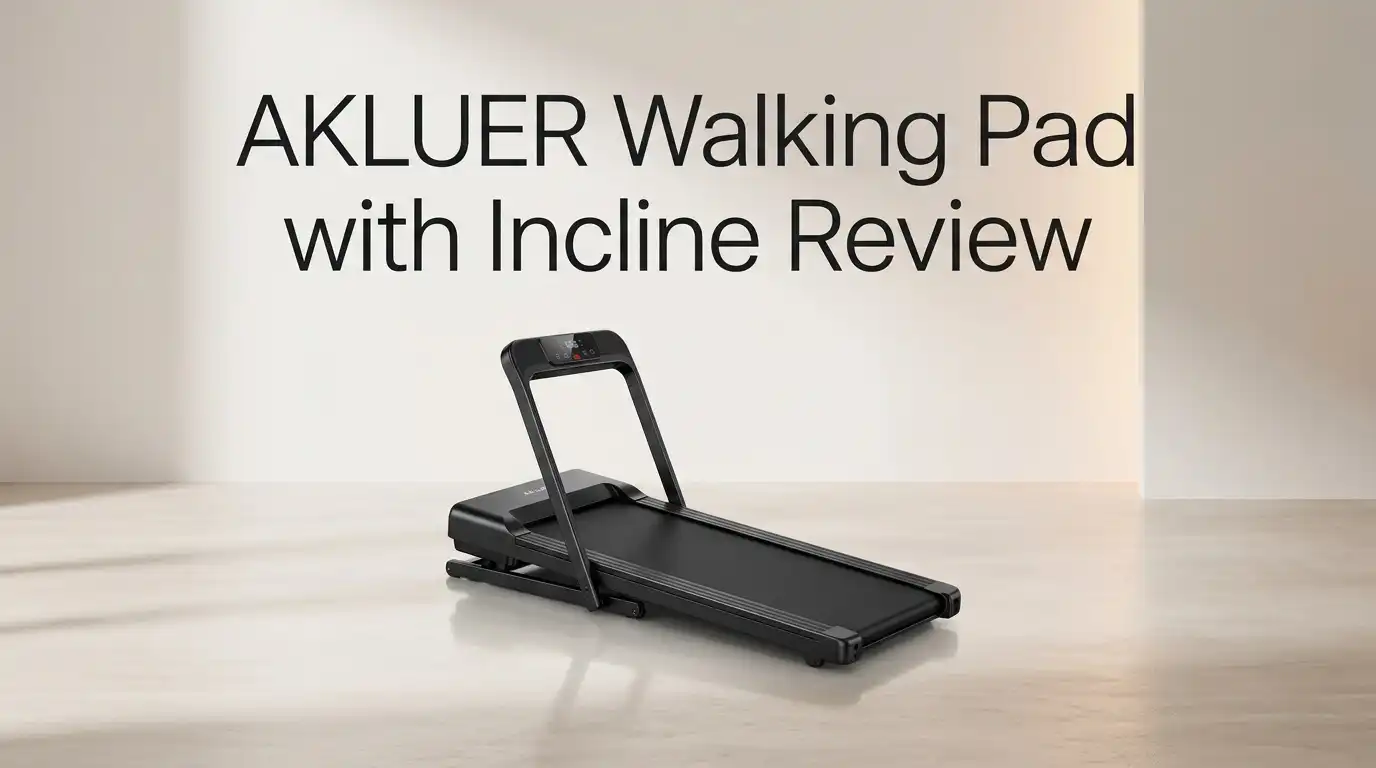
AKLUER makes compact treadmills built for homes and small offices. The walking pad with incline is their flagship category. The machine measures about 47.8 inches long, 20.5 inches wide, and only 5.1 inches tall. That slim height lets it slide under a desk, a sofa, or a bed.
The deck gives you 39.4 by 15.7 inches of walking surface. A 2.5 HP motor drives the belt, and the frame uses alloy steel for support up to 330 pounds. The incline system is what separates this pad from flat competitors. Motorized lift arms raise the front of the deck on command.
AKLUER sells several versions. Some use manual incline at 5 percent. Others offer 9 or 12 or 13 percent auto incline. Check the listing carefully before you order, because the names look nearly identical.
Unboxing Experience: What Arrives at Your Door
The box is heavy. Gross weight sits near 57 pounds, so grab a helper or slide the carton instead of lifting it. Mine arrived double boxed with foam corner blocks protecting the deck edges.
Inside you find the pad itself, already built. No bolts, no frame assembly, no confusing diagrams. A small accessory pouch holds the RF remote, two batteries, a bottle of silicone lubricant, a hex adjustment tool, the power cord, and the manual.
The first thing you notice is how low the deck sits. It looks more like a floor mat than a treadmill. Peel the protective film from the LED window, pop in the batteries, plug the cord into a standard outlet, and the display lights up instantly.
Total unboxing time was under ten minutes. That is genuinely refreshing compared with full size treadmills that eat an entire afternoon.
Design and Build Quality
The chassis feels solid for the price. The steel frame does not flex when you step on the sides, and the plastic end caps fit tightly with no rattles. The matte finish hides fingerprints well, though it shows dust quickly on dark colorways.
Transport wheels sit at the front edge. You tilt the pad like a wheelbarrow and roll it away. At roughly 48 pounds net weight, the tilt and roll motion is easy for most adults, but lifting it onto a shelf is not.
Some units ship with an adjustable handlebar that folds flat. The handlebar adds stability for beginners, and it blocks the pad from sliding fully under low desks.
Build quality sits comfortably in the budget to midrange tier. It feels sturdier than $150 flat pads, yet lighter and less planted than a $700 compact treadmill.
Top 3 Alternative for AKLUER Walking Pad with Incline


Last update on 2026-11-11 / Affiliate links / Images from Amazon Product Advertising API
UREVO CyberPad Smart Walking Pad with 14% Auto Incline

Last update on 2026-11-11 / Affiliate links / Images from Amazon Product Advertising API
MERACH UltraWalk W60 Walking Pad Treadmill with 12% Auto Incline

Last update on 2026-11-11 / Affiliate links / Images from Amazon Product Advertising API
Strol 2E Pro Smart Walking Pad Treadmill with 12% Incline
Incline Performance: Does 12 Percent Actually Help?
Yes, and the difference is obvious within two minutes. At level 0 you stroll. At level 9 your calves light up and your breathing changes. AKLUER lists calorie output reaching about 350 per hour at peak grade, which beats flat walking by a wide margin.
The lift motor moves in steady steps. Each press of the remote shifts one level, taking a few seconds to settle. The movement is smooth, not jerky, and the deck locks firmly at each height.
One caution matters here. AKLUER advises against changing incline more than three times in two minutes. The lift motor needs cooling time. Treat incline as a session setting, not a rapid interval tool. Pick your grade, walk, then lower it at the end.
Manual incline models use a fixed 5 percent prop instead. They work, but you must stop walking to adjust them.
Motor Power and Noise Levels
The 2.5 HP rating refers to peak output, not continuous horsepower. That distinction matters. Continuous duty output on compact pads like this usually sits closer to 1 HP, which is plenty for walking and thin for jogging.
Noise stays below 45 decibels at moderate speed. In practice I heard a soft hum plus the sound of my own footsteps. Footstep noise is actually louder than the motor, especially on hard floors. A thin mat under the pad fixes most of that.
Downstairs neighbors are the real test. The shock absorbers help, but any treadmill on an upper floor transmits some impact. A dense rubber mat is a smart $30 addition.
The built in cooling fan runs during use. You hear it kick in as the motor warms, which is normal and not a fault.
Speed Range: Who Fits and Who Does Not
The belt moves from 0.6 MPH to 4.0 MPH in 0.2 MPH steps. That range covers slow typing pace, casual strolling, and a brisk power walk.
For desk work, most people settle between 1.2 and 2.2 MPH. You can type accurately in that zone after a day or two of practice. Anything above 2.8 MPH makes mouse precision difficult, so save faster speeds for watching TV.
Here is the honest limit. This pad cannot run. Tall users with long strides will also find 4.0 MPH feels cramped on a 39.4 inch deck. If you are over six feet and want to jog, look at a full treadmill instead.
For walkers under six feet who want steps and gentle cardio, the range works well.
LED Display and Remote Control
The LED window sits at the front edge and shows time, speed, distance, calories, steps, incline level, and Bluetooth status. Numbers are large and bright enough to read while standing.
The RF remote is the star feature. Unlike infrared remotes, RF works at any angle within about ten feet. You can keep it on your desk, in your pocket, or in your hand and it still responds. No bending down mid stride.
Buttons cover start, stop, speed up, speed down, and incline. The layout is simple enough to use without looking.
Two small annoyances exist. The remote is tiny and easy to misplace, and the display dims under direct sunlight. A sticky mount on your desk solves the first problem cheaply.
App Connection and Bluetooth Speaker
The pad pairs with the free FitShow app on iOS and Android. Once connected you get workout history, guided programs, and virtual scenic routes that scroll as you walk. The app also syncs data to Apple Health, Google Fit, and Strava.
The scenic route feature is more fun than it sounds. Walking through a mountain pass or a coastal road makes a 30 minute session pass faster than staring at a wall.
A Bluetooth speaker sits inside the frame. You stream music or podcasts straight through it. Sound quality is fine for voice and acceptable for music, though bass is thin and volume tops out at moderate levels.
The app is third party software, not AKLUER built. It works, but the interface looks dated and occasional pairing hiccups happen.
Comfort, Cushioning, and Belt Feel
AKLUER uses eight silicone shock absorbers plus two soft cushions under the deck. The result is a surface with noticeable give. Your knees and ankles feel the difference during long sessions compared with walking on tile or concrete.
The belt itself uses a five layer construction with a textured anti slip top. Grip is good in athletic shoes. Walking barefoot or in socks is not recommended and will wear the belt faster.
Belt width of 15.7 inches is narrower than a standard treadmill. Most walkers adapt within a session, but anyone with a wide gait will clip the edges at first.
Tracking stays centered under normal use. If the belt drifts, the included hex tool lets you adjust tension at the rear rollers in about two minutes.
What the AKLUER Walking Pad Does Not Do Well
Honest reviews need honest criticism, so here it is.
Continuous runtime is the biggest flaw. Owner reports describe heat buildup and burning smells after extended sessions. One user bought the 2.5 HP incline model for a full workday and ran into trouble around the 30 minute mark. The machine also caps single sessions at 99 minutes by design.
Quality control varies between units. Some owners report belt slippage within days, and others report noise louder than advertised. Consistency between individual pads is not guaranteed.
The warranty covers one year. That is standard for budget pads, yet thin for a motor doing daily duty.
Finally, the model naming is confusing. Several listings share near identical titles with different incline percentages and prices. Read the spec table before you click buy.
Pros and Cons of the AKLUER Walking Pad with Incline
Pros
- Real auto incline up to 12 percent across 9 levels, adjustable by remote while you walk
- Quiet motor under 45 decibels, suitable for calls and shared living spaces
- Zero assembly required, so you unbox and start walking the same day
- 330 pound weight capacity, higher than many pads in this price bracket
- Only 5.1 inches tall, which slides under desks, beds, and sofas easily
- Transport wheels and vertical storage make moving the pad simple for one person
- App connection with scenic routes plus syncing to Apple Health, Strava, and Google Fit
- Built in Bluetooth speaker removes the need for headphones during casual sessions
Cons
- Not built for all day continuous walking. Heat and odor complaints appear after long sessions
- Top speed stops at 4.0 MPH, so running is off the table completely
- Belt width of 15.7 inches feels narrow for taller users with wide strides
- Incline adjustments must be spaced out to protect the lift motor
- One year warranty only, which is short for a daily use motor
- Inconsistent quality control reported across individual units
- FitShow app feels dated and pairing occasionally drops
- Confusing model lineup with similar names and different incline ratings
Maintenance and Care That Extends Its Life
Treat the pad well and it lasts longer. AKLUER recommends lubricating the belt every 125 miles using 5 to 10 milliliters of the included silicone oil. Lift the belt edge, apply along the deck, then walk slowly for two minutes to spread it.
Skipping lubrication is the fastest way to kill a walking pad motor. Friction forces the motor to work harder, which creates the heat and smell complaints you read about.
Wipe the belt and frame with a damp cloth after sweaty sessions. Keep the area behind the pad clear by at least three feet and leave two feet on each side.
Give the motor rest. Walk 30 to 45 minutes, break for ten, then resume. That rhythm protects the hardware and still delivers big daily step counts.
Price and Value for Money
Pricing spans a wide range across the AKLUER lineup. Entry models with 5 percent manual incline sell near $79. The full featured 12 percent auto incline version with app support and speaker sits around $290.
At the lower price the value is strong. You get a functional pad with basic grade for the cost of a few gym months. At the higher price the competition tightens considerably.
Rivals in the $300 to $400 range offer brushless motors, higher weight limits near 400 pounds, and better continuous duty ratings. Those upgrades matter if you plan heavy daily use.
The AKLUER wins on price per feature. It loses on long term durability confidence. Decide which of those matters more to your routine.
Who Should Buy It and Who Should Skip It
Buy this pad if you work from home, want to add 5,000 to 8,000 steps per day in short blocks, and value quiet operation. It suits apartment dwellers, beginners returning to fitness, and anyone who wants incline training without buying a full treadmill.
It also works well for TV walkers. Set 2 MPH, pick incline level 5, and burn through an episode productively.
Skip it if you want to run, if you are over six feet two inches, or if you plan continuous four hour sessions at a standing desk. Heavy duty users should spend more on a brushless motor pad or a manual curved treadmill instead.
Also skip it if you want a long warranty. One year is simply short for daily hardware.
Final Verdict: Is It Worth Buying in 2026?

Last update on 2026-11-10 / Affiliate links / Images from Amazon Product Advertising API
The AKLUER Walking Pad with Incline delivers genuine value for moderate users. The incline system works properly, the motor stays quiet, and the zero assembly setup removes every excuse to delay your first walk. For 30 to 60 minute daily sessions, it does exactly what it promises.
The flaws are real though. Continuous runtime limits, a narrow belt, a short warranty, and uneven quality control keep this out of the premium tier. Anyone planning marathon desk walking should budget more.
My rating sits at 4 out of 5 for casual users and 2.5 out of 5 for heavy daily users. Match the machine to your actual habits and you will be happy. Expect gym grade endurance from a budget pad and you will not be.
Frequently Asked Questions
How long can you walk on the AKLUER walking pad continuously?
Single sessions cap at 99 minutes by design. In practice, keep sessions between 30 and 45 minutes, then rest the motor for ten minutes. Longer continuous use raises heat and shortens motor life.
Can you run on the AKLUER walking pad with incline?
No. Top speed reaches 4.0 MPH, which covers brisk walking only. The deck length of 39.4 inches also limits stride room, so running is unsafe on this machine.
Does the AKLUER walking pad need assembly?
No assembly is required. The pad ships fully built. You insert remote batteries, plug in the power cord, and start walking immediately.
What is the weight capacity?
Most AKLUER incline models support up to 330 pounds. Always confirm the figure on the exact listing, since lighter budget versions may differ.
Is the AKLUER walking pad quiet enough for an apartment?
Yes, the motor runs under 45 decibels. Footstep impact creates more noise than the motor, so add a rubber mat underneath if neighbors live below you.
Does it work with fitness apps?
Yes. The pad connects through Bluetooth to the free FitShow app, which syncs workout data to Apple Health, Google Fit, and Strava.
How often should you lubricate the belt?
Apply silicone lubricant every 125 miles of use, roughly 5 to 10 milliliters each time. Regular lubrication prevents the friction that causes motor overheating.
What warranty does AKLUER offer?
Standard coverage is one year plus lifetime technical support. Keep your order receipt, since warranty claims run through the seller.

Hi, I’m Sarah Hill — the founder and voice behind Heavy Lift Vault. I’m passionate about fitness, strength training, and health technology. I spend my time researching, testing, and reviewing workout equipment and health devices so you don’t have to guess. My goal is to deliver honest, detailed, and trustworthy reviews that help you invest wisely in your fitness journey.