Why Is My Smart Treadmill Screen Frozen On The Boot Logo?
Your smart treadmill should turn on fast. You press the power switch, the logo flashes, and your workout starts. But sometimes the screen freezes on that boot logo and never moves. You wait.
You tap. Nothing happens. This is one of the most common problems treadmill owners face today. The good news is simple. Most frozen boot logo issues are fixable at home without a technician. You do not need fancy tools.
You do not need deep tech skills. You just need the right steps in the right order. This guide walks you through every fix that works. We start with quick resets and move to deeper repairs.
In a Nutshell:
- A frozen boot logo usually means a software glitch, not a dead machine. Most treadmills recover after a simple power reset, so do not panic right away.
- Always start with the easiest fix first. Unplug the machine, wait, and plug it back in. This alone solves a large share of cases.
- The pinhole reset button is your best friend. Many smart treadmills hide a tiny reset hole on the console. A paperclip press often clears the freeze.
- A boot loop often comes from a failed software update or corrupted app data. Clearing the cache or reinstalling the fitness app can fix this.
- Hardware faults are less common but real. A loose cable, a bad SD card, or a weak power supply can all freeze the screen on startup.
- Keep your warranty and support number ready. If home fixes fail, contact the maker before you open the console, since some repairs void your coverage.
What Does a Frozen Boot Logo Actually Mean?
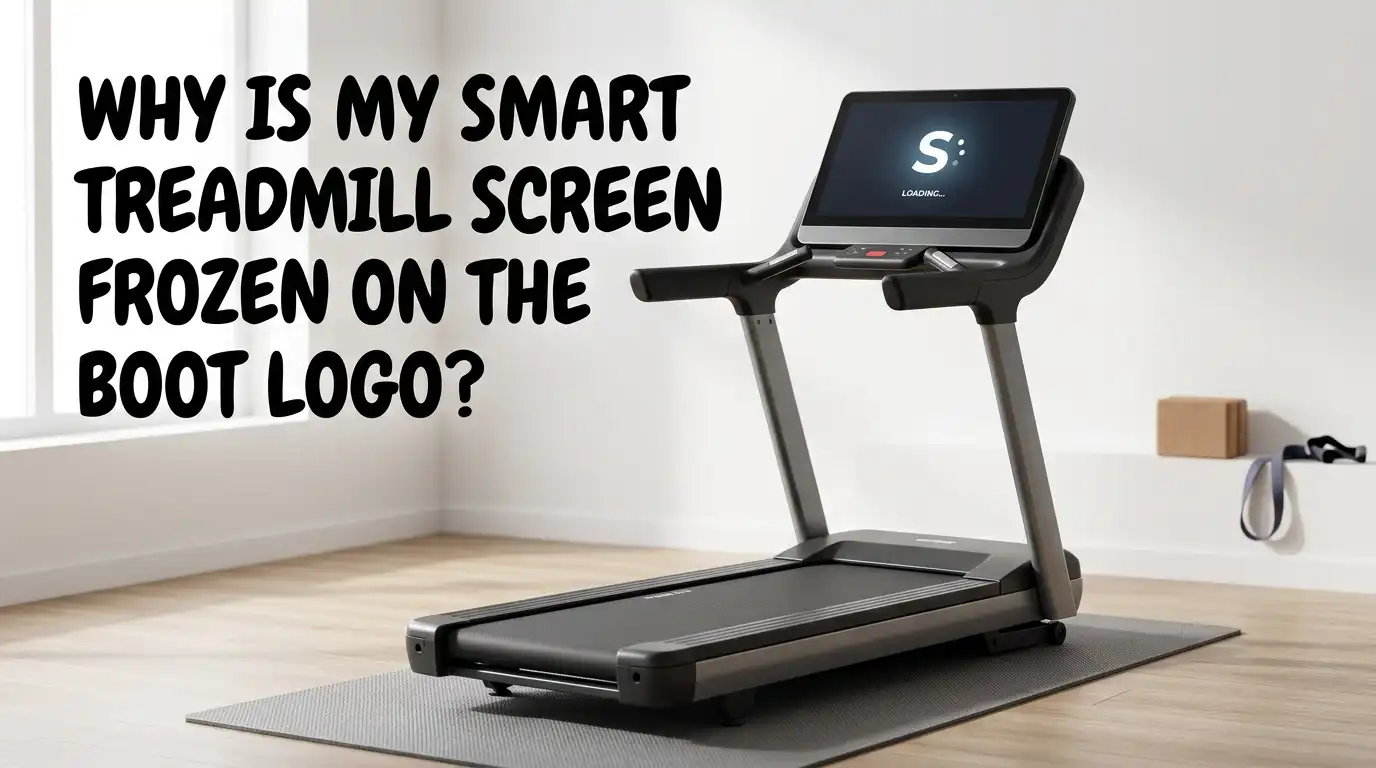
When your treadmill screen sticks on the boot logo, the machine is trying to start but cannot finish. The logo is the first screen the system shows while it loads the software. Think of it like a phone that gets stuck on the brand name during startup.
The console powers on, but the operating system fails to fully load. This tells you the power is working. The screen is alive. The problem sits in the software or in a part that the system needs to boot.
Common smart treadmill brands like NordicTrack, ProForm, and others run on Android based consoles. A frozen logo often points to a software fault rather than a broken motor or belt. That is actually good news. Software issues are usually the easiest and cheapest to fix at home.
Why Does This Happen in the First Place?
Several things can freeze your treadmill on the boot logo. Knowing the cause helps you pick the right fix. The most common reason is a software glitch after an update. A new update can install wrong or stop halfway, which breaks the boot process.
Power problems are the second big cause. A sudden outage, a power surge, or unplugging the machine during use can corrupt the system files. Other causes include a corrupted app, a damaged SD card inside the console, or a loose internal cable.
Sometimes the touchscreen itself fails or the power supply weakens over time. Heat and dust buildup can also play a role. Most of these causes link back to either software or a loose connection. That is why simple resets fix so many cases before you ever need to open anything.
First Fix: The Simple Power Cycle
Always start here. A power cycle clears the temporary memory and gives the system a clean restart. Turn off the power switch at the front bottom of your treadmill. Then unplug the cord from the wall outlet.
Wait at least five to ten full minutes. This wait matters. It lets the console fully drain stored power. After waiting, plug the cord back in and flip the power switch on.
Watch the screen and let it sit for a few minutes. Many treadmills boot normally after this single step. Do not rush it. Give the system time to load before you decide it failed.
Pros: It is free, fast, and safe. It works on most software freezes and risks nothing.
Cons: It does not fix hardware faults or deep software corruption. You may need to repeat it once.
Second Fix: Use the Pinhole Reset Button
Many smart treadmills hide a tiny reset hole on the console. This pinhole reset forces a hard restart that a normal power cycle cannot do. Look along the side, the back, or the top edge of the console frame.
You will see a small hole the size of a paperclip tip. Some models, like certain NordicTrack units, place it on the right side of the screen at a slight angle. Straighten a paperclip and gently push it into the hole. Hold for about ten seconds.
On some machines you press the pinhole while flipping the power switch back on. Then wait for the screen to react. This often clears a stubborn boot freeze that simple unplugging missed.
Pros: It is still free and quick. It clears deeper glitches than a basic reset.
Cons: Not every model has one. Older treadmills may lack the pinhole completely.
Third Fix: Check the Safety Key and Its Connection
The safety key is the magnetic clip you attach before running. A misread or loose safety key can confuse the console during startup. Remove the safety key fully from its slot. Wipe it clean and check the magnet for damage.
Look at the slot too, since dust or debris can block the sensor. Press the key back firmly into place and make sure it sits flush. Some treadmills will not boot past the logo if they think the key is missing or stuck.
Try starting the machine both with the key in and freshly reseated. This small step is easy to skip, but it solves more freezes than people expect. A clean, properly seated key removes one simple variable from the problem.
Pros: Takes seconds and needs no tools. Rules out a common overlooked cause.
Cons: Rarely the full fix on its own. It mostly helps alongside other steps.
Fourth Fix: Wait Out a Possible System Recovery
Sometimes the treadmill is not frozen at all. It may be running a system recovery in the background that takes a long time. On some smart consoles, the boot screen shows a line like “system recovery, please wait.”
This process can take up to thirty minutes or more on certain models. During this time the logo or a blue screen may seem stuck, but the machine is actually working hard inside. Do not unplug the treadmill while it shows a recovery message.
Cutting power here can corrupt the files and make things worse. Leave it alone, walk away, and check back in half an hour. Patience here saves you from creating a much bigger problem. If the screen still has not moved after a full hour, then move on to other fixes.
Pros: Costs nothing and may fully repair the system by itself.
Cons: It is slow. You must wait without knowing if it will work.
Fifth Fix: Clear the App Cache and Data
Many smart treadmills run a fitness app on an Android based console. A corrupted app cache often causes the boot loop or frozen logo. If your screen loads enough to reach the Android settings, you can fix this.
Try tapping a corner of the screen during boot, which some models use to open a menu. Once inside settings, find the app list and select your fitness app. Choose force stop, then clear cache, and then clear data. This wipes the broken app files without harming the rich workout hardware.
After clearing, restart the treadmill and let the app rebuild itself. This step has saved many users stuck in an endless boot loop. Note that clearing data may log you out, so keep your account details handy.
Pros: Targets the most common smart treadmill software fault directly.
Cons: You need to reach the settings menu first, which a fully frozen screen blocks.
Sixth Fix: Perform a Factory Reset
When smaller fixes fail, a factory reset wipes the console back to its original state. This clears bad updates, broken apps, and corrupted settings in one move. Locate the power switch and turn it off first.
Many machines combine the pinhole button with a power on to trigger this reset. Hold the reset button while flipping the power back on, then keep holding for several seconds. The screen should show a reset or recovery option. Follow the on screen prompts to confirm.
Remember that a factory reset erases your saved data, workouts, and login. You will set up the machine again like it is new. This step fixes most software based freezes that survive every other method. Always check your model manual for the exact button combo.
Pros: Highly effective for deep software problems and stuck updates.
Cons: Deletes all your saved data. You must redo the full setup afterward.
Seventh Fix: Inspect the Internal USB and Cable Connections
If software fixes fail, a loose internal cable could be the cause. A disconnected USB or ribbon cable inside the console can freeze the boot screen. This step needs care, so unplug the treadmill fully before you start.
Remove the screws on the back of the console panel and open it gently. Look for the USB cable and the wide ribbon cables that link the screen to the main board. Press each connector back in firmly to make sure it is seated.
Some users fix the freeze simply by unplugging and replugging these cables. Check for any burnt, frayed, or pinched wires too. Close the panel only after everything looks secure. This is hands on work, so go slow and keep track of every screw.
Pros: Fixes freezes caused by loose or shifted cables, common after moving the machine.
Cons: Requires opening the console. It may void your warranty if done too early.
Eighth Fix: Check the SD Card Inside the Console
Some smart treadmills store their software on a small SD card. A corrupted or loose SD card can stop the system from booting past the logo. With the machine unplugged and the console open, locate the SD card slot on the main board.
Gently remove the card and inspect it for dirt, damage, or bent contacts. Clean the metal contacts with a soft dry cloth. Reinsert it firmly until it clicks. In some cases the card needs reformatting or reflashing with the correct software.
That advanced step usually needs help from the maker, since the card holds the system files. Never wipe the card unless support guides you, because the wrong action can brick the console. A simple reseat fixes many SD card related freezes on its own.
Pros: Solves freezes tied to a slipped or dirty memory card.
Cons: Reformatting risks data loss. It needs more technical confidence than other fixes.
Ninth Fix: Test the Power Supply and Outlet
A weak or failing power supply can cause the screen to freeze or cycle on startup. If your treadmill flickers between a blank screen and the logo, suspect the power. First, plug the treadmill directly into a wall outlet, not a power strip or surge protector.
Test that same outlet with another device to confirm it delivers steady power. Avoid extension cords, since they can drop the voltage the console needs. A treadmill that cycles between blank and boot screens often has a bad power supply or loose wiring.
If you see a red power light but no full boot, the supply may be failing. Replacing a power supply is possible but usually best left to the maker or a technician. Steady, direct power removes one major cause of boot freezes.
Pros: Easy first checks cost nothing and rule out a weak outlet fast.
Cons: Replacing a faulty supply needs parts and some skill. It is not a quick home fix.
Tenth Fix: Update or Reinstall the Software Properly
A failed update is a top cause of frozen treadmill screens. Reinstalling the software cleanly can repair a broken or half finished update. If you can reach the settings menu, connect the treadmill to a strong WiFi signal.
A weak signal during an update often corrupts the install and creates the freeze. Check for any pending update and let it finish fully without cutting power. Some users uninstall the corrupt fitness app and reinstall a fresh copy to fix the boot loop.
This restores the missing or broken system files. Always keep the machine on stable power and WiFi during any update. Never turn it off mid update, since that is what causes many freezes in the first place. A clean reinstall often brings a stuck console back to life.
Pros: Directly fixes update related boot loops, the most frequent smart console issue.
Cons: Needs a working menu and strong WiFi. A poor connection can repeat the problem.
Eleventh Fix: Contact Support or a Professional Technician
When every home fix fails, it is time to call for help. The maker knows your exact model and can guide you through brand specific steps. Have your model number, serial number, and purchase date ready before you call.
Many treadmills carry a warranty that covers console repairs and part replacement. Opening the machine yourself too early can void that coverage, so check first. Support can send a technician, ship a replacement part, or walk you through a guided reflash.
If your treadmill is older and out of warranty, a local repair service may cost less than a new console. Describe the freeze clearly, including any error text on the screen. Good details help them solve the problem faster and avoid wasted trips.
Pros: Expert help fixes hardware faults safely and protects your warranty.
Cons: It can cost money and time. You may wait days for a technician or part.
How to Prevent the Boot Logo Freeze in the Future
A few simple habits keep your treadmill booting smoothly for years. Never unplug the machine or cut power while it runs an update. Always let updates finish fully on stable WiFi and direct power.
Plug your treadmill into a quality surge protector to guard against power spikes. Keep the console clean and dust free, since heat buildup stresses the electronics. Power the machine down properly with the switch instead of yanking the cord.
Restart the treadmill now and then to clear its memory, just like you would a phone. Place the treadmill in a dry, cool spot away from direct sun and moisture.
These small steps cut the risk of software corruption and frozen screens. Prevention is far easier than repair, and it keeps your workouts on track.
When You Should Stop and Get Help
It is smart to know your limits with any repair. Stop if you smell burning, see smoke, or notice scorched parts inside the console. These signs point to electrical danger and need a professional right away.
Stop too if the machine is still under warranty and the fix requires opening the case. You could lose your coverage by going too far. If basic resets, a factory reset, and cable checks all fail, the issue is likely hardware.
Hardware repairs like a new screen, board, or power supply are best handled by experts. Never force parts, pull wires hard, or wipe the SD card without guidance. Knowing when to step back protects both you and your machine. A small repair bill beats a fully ruined console every time.
Frequently Asked Questions
How long should I wait during a treadmill power cycle?
Wait at least five to ten full minutes after unplugging the machine. This lets the console drain all stored power for a true reset. If the screen shows a recovery message, give it up to thirty minutes or more before you act. Cutting power too soon can corrupt the files and make the freeze worse.
Will a factory reset delete my workout history?
Yes, a factory reset erases your saved data, settings, and login details. You will need to set up the treadmill again like it is brand new. Your workout history may stay safe if it is stored in your online fitness account rather than on the machine. Log back in after the reset to check what synced back.
Is it safe to open my treadmill console myself?
It can be safe if you unplug the machine first and work slowly. However, opening the console may void your warranty if it is still active. Check your coverage before you remove any screws. If you smell burning or see damaged wires, stop and call a professional instead.
Can a weak WiFi signal cause the boot freeze?
Yes, a weak signal during a software update is a common cause. The update can install wrong or stop halfway, which breaks the boot process. Always use strong, stable WiFi when updating your treadmill. Move the machine closer to the router or use a WiFi extender if the signal is poor.
What if my treadmill has no pinhole reset button?
Not every model includes a pinhole reset. In that case, rely on the standard power cycle by unplugging the machine fully. You can also try reaching the settings menu to clear the app cache or run a reset from there. Check your model manual or contact support for the exact reset method for your unit.
Should I replace the whole treadmill if the console fails?
Not always. A failed console often costs far less to repair than buying a new treadmill. If the motor, belt, and frame still work well, a new screen or board makes sense. Compare the repair quote against a replacement before you decide, especially on out of warranty machines.

Hi, I’m Sarah Hill — the founder and voice behind Heavy Lift Vault. I’m passionate about fitness, strength training, and health technology. I spend my time researching, testing, and reviewing workout equipment and health devices so you don’t have to guess. My goal is to deliver honest, detailed, and trustworthy reviews that help you invest wisely in your fitness journey.