How To Fix An E2 Speed Sensor Error On A Treadmill?
An E2 speed sensor error can feel frustrating, especially when your treadmill stops right when you want to walk or run. The good news is that this issue is often fixable at home with basic tools, careful checks, and a simple process.
In many treadmills, E2 shows up when the console does not get a proper speed signal. That can happen because the sensor is dirty, out of place, disconnected, or worn out.
In some brands, E2 can also point to a power, motor, or control board issue. That is why a calm and logical check matters. This guide will show you exactly what to do, what to look for, and how to test each likely cause without guesswork.
Key Takeaways
- Start with the simple checks first. Plug the treadmill into a direct wall outlet, turn it off, wait a minute, and power it back on. A basic reset can clear a false error and save time. It also helps you rule out a weak power source before opening the machine.
- The speed sensor and magnet must face each other correctly. If the sensor shifts away from the magnet, the treadmill may stop, show the wrong speed, or trigger E2. A small adjustment can fix the problem. This is one of the most common causes.
- Dust, loose wires, and belt drag can create the same symptoms. A dirty motor area or worn walking belt can make the treadmill act like the sensor is bad. Always inspect the full drive area, not just the sensor itself.
- A multimeter test gives a clear answer. When the magnet passes the sensor, the reading should change. When the magnet moves away, the reading should change back. If that does not happen, the sensor may need replacement.
- Some treadmills use E2 in a different way. On certain models, E2 can point to motor trouble, low input power, or a bad control board. Check your owner manual if you have it. If you do not, use the steps below in order, because they cover the most likely causes.
- Slow testing is safer than rushed testing. After every fix, run the treadmill at a low speed first. Watch the belt, listen to the motor, and confirm the console reads speed normally. A careful final test helps prevent repeat errors and sudden stops.
What The E2 Speed Sensor Error Usually Means
On many treadmills, E2 means the console is not getting a clear speed signal from the lower area of the machine. The signal usually comes from a small sensor that watches a magnet on the front roller or drive system. If that signal disappears, the treadmill may stop to protect the user.
That said, E2 does not mean the exact same thing on every brand. On some models, it points more to the motor, the control board, or even poor wall power. This is why the first goal is to confirm the real cause before buying any part.
A true speed sensor issue often shows up with sudden stopping, wrong speed numbers, or a belt that starts and then quits. If the sensor cannot read the passing magnet, the treadmill thinks the belt is not moving correctly.
Pros: This error often leads you straight to the problem area.
Cons: It can also mislead you if belt friction or poor power is the real cause.
Signs Your Treadmill Has A True Speed Sensor Problem
A real speed sensor problem usually has a few clear signs. The treadmill may start for a moment, then stop after a few seconds. The speed on the display may jump up and down even when the belt feels steady. In other cases, the console may show a number that does not match the belt movement.
You may also notice the treadmill works better with no one on it, then fails under body weight. That can happen because the system loses its speed reading as load increases. The console expects a clean signal at all times.
Another common sign is sudden stopping during a walk or run. If the motor still sounds active but the treadmill trips into E2, the sensor signal may be weak, dirty, or misaligned.
Pros of spotting these signs early: You can focus on the lower motor area first.
Cons: These signs can overlap with deck friction, motor brush wear, or control board trouble.
Safety Steps Before You Start
Before you remove any cover, unplug the treadmill from the wall. This is the first rule. You do not want live power inside the motor compartment while your hands are near wires, the front roller, or the control board.
Give the machine a minute to fully power down. If your treadmill folds, make sure it is stable before you work near the base. Keep screws in a small bowl so you do not lose them. A flashlight helps a lot, because the sensor is often small and hidden near the front roller.
Wear work gloves if the edges inside the motor hood feel sharp. Keep kids and pets away while you inspect the machine. You want a clean, quiet work area.
If you ever smell burning, see melted wire covering, or notice a cracked board, stop there. That moves the job out of simple home repair.
Pros: Safe prep lowers the chance of injury and damaged parts.
Cons: Skipping this step can turn a small repair into a serious mistake.
Try A Simple Reset And Power Check First
Start with the easiest fix because it sometimes works. Turn the treadmill off, unplug it, wait about sixty seconds, and plug it back into a direct wall outlet. Do not use an extension cord. Do not use a power strip. Some treadmills are very sensitive to weak or shared power.
If possible, try another outlet in a different room. A weak circuit can cause strange errors that look like sensor trouble. This is especially useful if the treadmill recently started showing E2 after being moved.
Now turn the treadmill on and test it at a very low speed. If the error disappears, the issue may have been a false code or unstable power. If it comes back, move to the internal checks.
Pros: This method is fast, free, and safe.
Cons: It only fixes simple faults, so it may not solve a true sensor or motor issue.
Still, never skip this step. It can save a lot of time.
Open The Motor Cover And Locate The Sensor
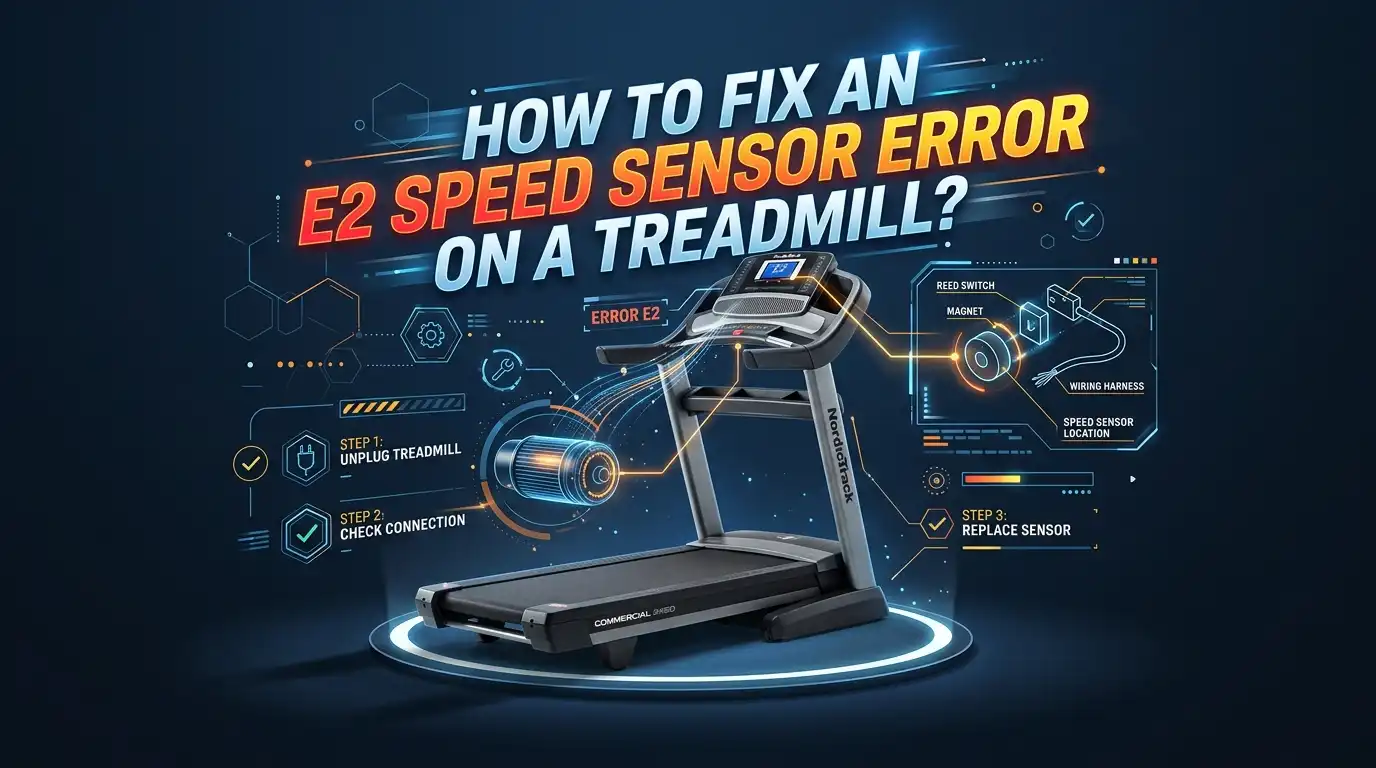
Most treadmills hide the speed sensor under the front motor cover. Remove the screws, lift the cover, and set it aside carefully. Once open, look near the front roller, drive motor, or control board area. The sensor is usually a small part with a wire leading back to the board.
Now find the magnet. It is often mounted on the front roller pulley or a rotating wheel. The sensor reads that magnet as it passes by. If the sensor cannot see the magnet, the treadmill cannot measure speed well.
Take your time here. Do not pull on wires. Just trace them gently with your eyes. You want to identify three things: the sensor, the magnet, and the plug connection to the board.
If you see that the sensor has clearly shifted away from the magnet, you may already have the answer.
Pros: Visual inspection can reveal an obvious fix in minutes.
Cons: Tight spaces can make small parts hard to spot.
Clean The Area And Inspect The Wiring
Dust builds up inside treadmills faster than many people expect. Hair, lint, and belt dust can settle around the sensor, the motor, and the board. Use a dry cloth or soft brush to clean the area. If you have a vacuum with a narrow nozzle, use it gently.
Look closely at the sensor wire from end to end. Check for cuts, pinches, loose clips, or a plug that has started to back out of the board. A loose connection can break the speed signal even if the sensor itself is still good.
Make sure the wire is secured away from moving parts. A loose wire can drift into the roller area and get damaged. Also look for old zip ties that have broken or been removed.
Pros: Cleaning and wire checks cost almost nothing and solve many cases.
Cons: If you only clean and do not test, you may miss a deeper electrical fault.
After cleaning, reconnect anything loose and try a short low speed test.
Check The Sensor Gap And Magnet Alignment
The sensor and magnet must line up well. If the sensor points away from the magnet, or sits too far from it, the signal can fail. A common fix is to loosen the sensor mount slightly and move it so it faces the magnet more directly.
Many repair guides and service videos show the sensor working best when it sits close but not touching. A gap of about one fourth of an inch is a useful starting point on many treadmills. The exact distance can vary, but the sensor should clearly face the magnet path.
Rotate the front roller by hand and watch the magnet pass the sensor. You want a clean pass every time. If the sensor is crooked, shift it gently and tighten the screws again.
Pros: Alignment repair is simple and often very effective.
Cons: If the mount is cracked or the magnet is missing, alignment alone will not fix the error.
This is one of the best low cost fixes to try before replacement.
Test The Speed Sensor With A Multimeter
If the error is still there, test the sensor. Unplug the treadmill first. Disconnect the speed sensor plug from the board. Set your multimeter to the ohms setting. Place the probes on the sensor connector contacts.
Now rotate the roller or drive part by hand so the magnet passes in front of the sensor. When the magnet is in front of the sensor, the meter reading should change. When the magnet moves away, the reading should change back. That change shows the sensor is seeing the magnet.
If the reading never changes, the sensor may be dead. If the reading stays stuck even after the magnet moves away, the sensor may also be faulty. A good sensor reacts to the magnet.
Pros: This test gives a clear yes or no answer in many cases.
Cons: You need a meter and a steady hand, and some connectors are small.
If the sensor passes the test, the problem may sit elsewhere.
Look For Belt And Deck Friction That Can Trigger E2
A surprising number of E2 cases are not caused by the sensor at all. They come from too much friction between the walking belt and deck. If the belt drags hard, the motor struggles, speed becomes unstable, and the console may think the speed signal is wrong.
With the treadmill off, try moving the walking belt by hand. It should move with some resistance, but it should not feel locked or very hard to push. If it feels heavy, check for a dry deck, worn belt, poor belt tension, or dirt under the machine.
Also look for objects touching the belt or roller area. Even a small item under the frame can create drag. Friction can mimic a sensor problem very well.
Pros: Fixing drag improves the full machine, not just the error code.
Cons: Belt and deck wear can take more time and may cost more than a simple sensor adjustment.
Check The Drive Belt, Motor, And Controller Board
If the sensor tests well and the belt is not dragging, check the next parts in line. Look at the drive belt between the motor and front roller. If it is too loose, cracked, or slipping, the treadmill may show unstable speed. That can lead to E2.
Next, inspect the motor area. Listen for rough sound, smell for burning odor, and look for dark dust around the motor that may suggest brush wear on some models. A weak motor can confuse the speed feedback system under load.
Then inspect the control board. Look for burn marks, swollen parts, or loose plugs. If the board cannot read the sensor signal correctly, the treadmill may still show E2 even with a good sensor.
Pros: This check helps you rule out the bigger causes.
Cons: Control board diagnosis is harder than sensor testing and may require a technician if damage is not obvious.
Replace The Speed Sensor If Testing Fails
If the multimeter test fails, replacement is the smart next step. Unplug the treadmill. Remove the old sensor screws or clip, unplug the wire, and install the new sensor in the same path. Route the wire exactly as the old one sat, away from all moving parts.
Before tightening everything fully, line the sensor up with the magnet. Keep the gap small and even. Then secure the mount and the wire. A good replacement job is about position as much as the part itself.
After that, reconnect the plug to the control board and make sure it sits firmly. Do not leave the wire loose inside the hood.
Pros: Replacement can fully solve the issue when the old sensor is dead.
Cons: Buying the wrong sensor for your model wastes time and money, so confirm part fit before you order.
Reassemble The Treadmill And Test It Slowly
Once you finish the fix, put the motor cover back on and tighten the screws. Plug the treadmill into a direct wall outlet. Start at the lowest speed. Watch the belt for smooth movement and listen for steady motor sound.
Let it run for one to two minutes with no one on it. Then step on and walk at a slow pace. If the treadmill stays stable and the console speed looks normal, increase speed little by little. Do not jump straight into a fast run.
If E2 returns right away, stop and go back through the earlier checks. The most likely misses are sensor alignment, loose wire seating, or hidden belt drag. A slow test gives clear clues without stressing the machine.
This final test matters because many treadmills look fixed at idle but fail under real load.
Prevent The E2 Error From Coming Back
The best way to avoid repeat sensor errors is simple care. Clean under the motor hood every so often. Dust and belt debris build up quietly. Keep the treadmill on a stable outlet and avoid sharing that outlet with heavy appliances.
Check the walking belt condition and keep the deck properly lubricated if your model requires it. A dry belt creates drag, and drag puts stress on the motor and speed reading system. Less friction means fewer false speed errors.
Also inspect the sensor area after any move, fold, or service work. Wires can shift. Screws can loosen. A two minute check can prevent a larger repair later.
If you use the treadmill often, create a small maintenance routine every few months. Clean, inspect, test, and listen. That habit usually catches trouble before E2 appears again.
FAQs
Can I Fix An E2 Treadmill Error Without Replacing Parts
Yes, many E2 cases can be fixed without buying anything. Start with a reset, a direct wall outlet, sensor cleaning, wire checks, and sensor alignment. These are common causes. If the sensor shifted away from the magnet, a small adjustment may solve the issue at once. If the multimeter test fails, then replacement becomes the better option. Always test before you buy a part.
How Do I Know If The Speed Sensor Or The Control Board Is Bad
A multimeter helps you separate the two. If the sensor reading changes as the magnet passes, the sensor is likely working. In that case, the wiring, control board, motor, or friction may be the real problem. If the reading never changes, the sensor is the stronger suspect. Visible board damage like burn marks also points away from the sensor and toward the board.
Why Does My Treadmill Show E2 Only When I Step On It
That usually means the problem appears under load. The sensor may be weak, but the more common cause is extra friction from the walking belt, deck, drive belt, or motor. The machine may run fine with no user because there is less strain. Once you step on, speed drops or becomes unstable, and the console throws E2. Check drag and belt condition very carefully in this case.
What Is The Best Gap Between The Sensor And Magnet
Many repair checks use a gap of about one fourth of an inch as a practical starting point. The exact gap can vary by model, so your goal is proper alignment and a close, even pass without contact. If the sensor is too far away, it may miss the magnet. If it touches, it can get damaged. Close and straight is the key idea.
Should I Keep Using The Treadmill If E2 Comes And Goes
No, that is risky. An on and off E2 error can lead to sudden stops or unstable speed. That can throw off your stride and increase the chance of a fall. Stop using the treadmill until you check the sensor area, power source, and belt drag. A small error that comes and goes often turns into a full stop later, so it is better to fix it early.

Hi, I’m Sarah Hill — the founder and voice behind Heavy Lift Vault. I’m passionate about fitness, strength training, and health technology. I spend my time researching, testing, and reviewing workout equipment and health devices so you don’t have to guess. My goal is to deliver honest, detailed, and trustworthy reviews that help you invest wisely in your fitness journey.