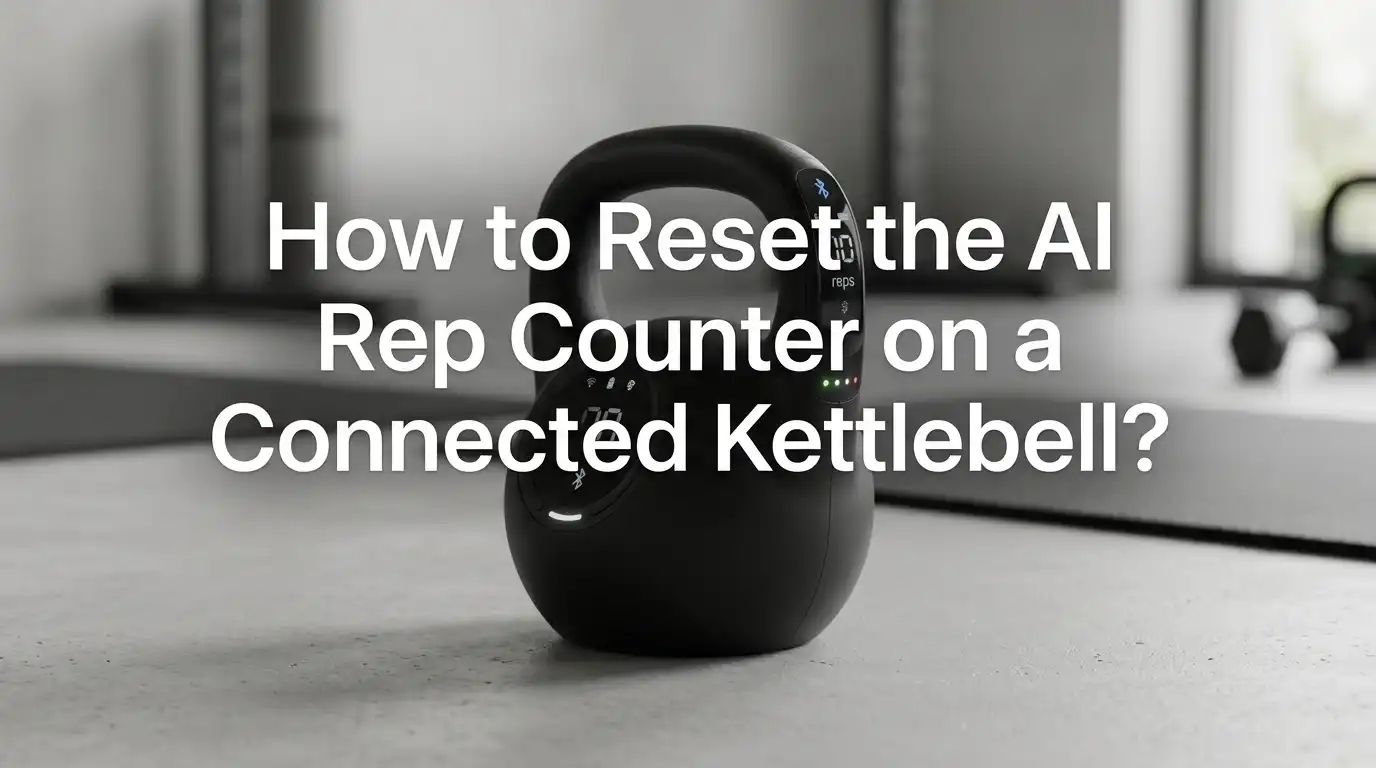
How to Reset the AI Rep Counter on a Connected Kettlebell?
If your connected kettlebell stops counting reps, your workout can feel messy in seconds. One set looks normal. The next set shows too many reps, too few reps, or no reps at all. That kind of error can ruin pacing, rest timing, and progress tracking.
The good news is simple. Most AI rep counter problems come from a small set of causes. The app session may be stuck. The kettlebell may be asleep. Bluetooth may have dropped.
The shell may not sit on the base the right way. In some cases, the base and shell weight reading may need a manual reset. This guide walks you through the safest fixes in a clear order.
In a Nutshell
- Start with the fastest fix first. Wake the kettlebell by pressing the plus or minus button, close the workout screen, and start a fresh session. A stuck workout log causes many false rep counts. This fix is quick and safe. It also keeps stress low when you are already in the middle of a workout.
- Check the base and shell before you blame the app. The shell should sit flat on the base. There should be no visible gap. The weights should sit in the correct order. If the shell is off center, the smart system can read the setup the wrong way and tracking can go off.
- Use the physical reset only when basic steps fail. Many connected kettlebells have a reset point on the underside of the base. On JAXJOX style models, the reset button on the bottom of the base can clear stubborn issues. A pin or paper clip can help with this step. This is often the most effective official reset.
- If the displayed weight does not match the shell, fix that first. A weight mismatch can stop normal function. On some models, you remove the shell, hold the plus and minus buttons for five seconds, adjust the displayed number of weights, wait for the beep, and then place the shell back on the base.
- Reconnect Bluetooth in a clean way. Turn Bluetooth off and on, reopen the app, and confirm the app has Bluetooth permission on your phone. A connected kettlebell needs a clean phone link for stable tracking. This step solves many silent sync problems that look like rep counter failure.
- Do not force the hardware. Never change the shell weight by hand or try to move the underside mechanism yourself. That can create a larger fault and can also create a safety risk. If the reset button, weight sync reset, charging check, and reconnect steps do not work, support is the right next step.
Why the AI rep counter stops working
A connected kettlebell does not count reps with magic. It depends on power, sensor status, Bluetooth, app sync, and clean movement. If one part fails, the counter can freeze or count the wrong way. That is why a reset works best when you follow the real cause.
In many cases, the problem starts with sleep mode or a dropped connection. Some kettlebells also stop responding if the shell has been off the base for too long. Others get confused when the displayed weight does not match the shell and plates. That mismatch can affect normal function and stop clean tracking.
Pros of this approach: It helps you solve the true problem instead of guessing. It also lowers the chance of repeating the same mistake next workout.
Cons: It takes a few extra minutes at the start because you need to check both hardware and app behavior.
Start with a quick wake up and visual check
Before you do any reset, wake the kettlebell and inspect the setup. Press the plus or minus button on the base once. Some connected kettlebells go into sleep mode after a short period without use. If the screen wakes up and the app reconnects, you may not need a deeper fix.
Next, look at the shell and base. The shell should sit flat. The charging points should line up. The weights should be stacked in the correct order, with no space between plates. A small gap can cause a big tracking issue. Also make sure the weight shown on the display matches the weight you expect to use.
Pros: This method is fast, safe, and often enough for minor errors.
Cons: It will not solve deeper sync faults or a stored weight mismatch.
Reset the live workout session in the app
Sometimes the kettlebell is fine, but the workout session in the app is not. If the rep counter starts from an old number, freezes, or shows delayed counts, end that session first. Close the workout screen. Wait a few seconds. Then reopen the app and start a new workout.
If the app has a device page, confirm the kettlebell still appears as connected before you begin the next set. A fresh session clears many false counts because the app stops trying to carry over bad data from the last set. This is a soft reset and it should always come before a hardware reset.
Pros: It is the easiest fix and it does not change device settings. It is great during a workout.
Cons: It may only fix the current session. If the base has a hardware issue, the problem may come back.
Reseat the shell and base before a deeper reset
If the rep counter still fails, remove the shell and place it back on the base with care. Make sure the handle lines up with the base wings and sits down fully. On many connected kettlebells, the unit gives a beep when the shell is seated the right way. That beep matters. It tells you the base can see the shell.
This step also helps if the shell and base have been apart for a long time. Some models show limited button response until the shell returns to the base. Think of this as a clean hardware handshake. If the display changes after reseating, test a few controlled reps before you move on.
Pros: This step is simple and often restores normal communication between parts.
Cons: It will not fix Bluetooth permission errors or low battery problems on its own.
Use the physical reset button on the base
If the app reset and reseat steps do not help, use the official hardware reset. On JAXJOX style connected kettlebells, the reset button sits on the underside of the base. Some support material shows using a pin or paper clip near the charging port area and holding the reset for about ten seconds.
After the reset, place the shell back correctly, wake the unit, and reconnect in the app. Then test a short set with slow, clean reps. This is the most direct reset method for stubborn faults because it restarts the base itself. Use it when the screen behaves oddly, the device does not respond, or the counter remains inaccurate after easier fixes.
Pros: It is strong, official, and effective for many persistent issues.
Cons: It takes longer than a soft reset and can interrupt your workout flow.
Fix shell and base weight mismatch
If the kettlebell display shows one weight but the shell feels different, solve that before anything else. A mismatch can cause the smart system to behave the wrong way. On some connected models, the official fix is clear. Remove the shell from the base. Then press and hold the plus and minus buttons together for five seconds.
The screen should show the number of weights. Use the plus and minus buttons to match the number shown to the plates still on the base. Wait a few seconds for the setting to finish and for the beep. Then place the shell back on the base. This reset matters because the tracking system needs the correct hardware state.
Pros: It corrects one of the most serious functional errors. It can restore normal device behavior fast.
Cons: You must be careful and patient. Never try to change the shell weight by hand.
Reconnect Bluetooth and phone permissions
A connected kettlebell needs a steady phone link. If the AI rep counter fails, check Bluetooth next. Turn Bluetooth off on your phone. Wait a few seconds. Turn it on again. Then reopen the app. If the kettlebell still does not appear, restart the phone and try once more.
Also check app permissions. On many phones, the fitness app needs Bluetooth permission inside the phone settings. If that setting is off, the app may open normally but still fail to track the kettlebell. This is a common hidden cause because the problem looks like a rep counting error when it is really a phone permission issue.
Pros: This fix is easy and solves many sync issues without touching the hardware.
Cons: It depends on the phone menu, so the exact steps vary by device.
Charge both parts and rule out low power
Low power can create strange rep counter behavior. Some connected kettlebells use one battery in the base and another in the shell sensor. If either side runs low, tracking can slow down, disconnect, or stop. Before you spend time on advanced troubleshooting, charge the base fully and make sure the shell can charge correctly.
Check the cable, power adapter, and wall outlet. Then look at the charging contact points. If they do not line up well, the shell may not charge as expected. A half charged device can look alive but still behave badly during motion tracking. After charging, reconnect and test again with a short controlled set.
Pros: This fix is simple and often ignored. It can solve random errors fast.
Cons: It takes time because a real charging test is not instant.
Update the app and device software
If the rep counter issue keeps returning, check the app version. An old app can cause sync bugs, delayed logging, or poor device recognition. Open your phone app store and install any pending update. Then restart the app and reconnect the kettlebell from scratch.
If your connected kettlebell supports device updates, install those as well through the official app flow. Software fixes often improve stability and can clean up old tracking errors that no manual reset fully solves. After the update, test the device with a fresh workout instead of resuming an older one. That gives the new software a clean start.
Pros: Updates can fix repeat issues for the long term.
Cons: Updates take time and sometimes need a very stable charge and Bluetooth link to finish well.
Clean up form and workout setup for better counting
Sometimes the counter is working, but your reps are too uneven for clean detection. Fast half reps, short swings, shaky lockouts, or sudden pauses can confuse motion tracking. Slow the pace and do five test reps with the same path each time. Give the app a clean pattern to read.
Try this before you assume the device is broken. Use a full start, a clear finish, and a steady rhythm. Place the phone nearby so Bluetooth remains strong. AI tracking likes repeatable movement. If the counter improves with cleaner reps, the problem may be movement noise rather than a system fault.
Pros: This method improves both tracking and training quality.
Cons: It does not help if the base, battery, or Bluetooth connection is the real problem.
Know when to use a soft reset or a full reset
A soft reset means ending the session, waking the device, reseating the shell, reconnecting Bluetooth, or restarting the app. A full reset means using the physical reset button on the underside of the base. In most cases, you should always start with the soft reset path. It is faster and it carries less risk of interrupting settings.
Use the full reset when the screen is stuck, the device does not respond, or the rep counter stays wrong after the soft steps. This order saves time and helps you avoid doing too much too soon. A smart reset plan is better than a random reset plan because you can track what actually solved the issue.
Pros: This method gives you a clean troubleshooting order.
Cons: It requires patience because you should test after each step.
When support or service is the better answer
If the rep counter still fails after charging, reconnecting, weight matching, and using the physical reset, support is the next move. This is true if the base does not beep when seated, the displayed weight stays wrong, the shell does not charge, or the reset button changes nothing. At that point, the issue may be sensor wear, battery failure, or a deeper hardware fault.
Before you contact support, write down what you already tried. Note your phone model, app version, and what the display showed. That record saves time and makes support much easier. Also stop using the device if the shell weight feels different from the display. Safety matters more than finishing one workout.
Pros: Support can confirm whether the issue is repairable or covered.
Cons: It may take longer than a do it yourself fix, but it is safer for real hardware faults.
FAQs
Can I reset the AI rep counter without deleting the whole app?
Yes. In many cases, you do not need to delete the app. Start by ending the current workout session and opening a new one. Then wake the kettlebell, reseat the shell, and reconnect Bluetooth. If the issue stays, use the reset button on the base. Deleting the app should be one of the last steps, not the first step.
Why does my kettlebell count some reps but miss others?
This usually points to one of two things. The first is uneven movement, such as short reps or sudden pauses. The second is weak sync between the kettlebell and the app. Try slow test reps, keep the phone close, and check Bluetooth permission. If the display weight is wrong, fix the weight mismatch before testing again.
Is it safe to adjust the kettlebell weight by hand if the display is wrong?
No. You should not force the mechanism or adjust the shell weight by hand. Use the official mismatch reset process instead. That usually means removing the shell, entering the weight count correction mode with the plus and minus buttons, matching the displayed count to the plates on the base, and waiting for the beep before replacing the shell.
What should I do if the buttons stop working?
First, put the shell back on the base and make sure it sits flat. Some models limit button use if the shell and base have been apart too long. Next, wake the unit with the plus or minus button. If nothing changes, charge the device and then try the physical reset on the underside of the base.
How often should I reset the rep counter?
You should not need to reset it often. A healthy connected kettlebell should work with normal charging, clean Bluetooth permission, and a stable app session. If you need frequent resets, there is likely a repeat issue such as low battery, app bugs, poor charging contact, or a shell and base mismatch. In that case, fix the root cause instead of repeating resets every workout.

Hi, I’m Sarah Hill — the founder and voice behind Heavy Lift Vault. I’m passionate about fitness, strength training, and health technology. I spend my time researching, testing, and reviewing workout equipment and health devices so you don’t have to guess. My goal is to deliver honest, detailed, and trustworthy reviews that help you invest wisely in your fitness journey.