
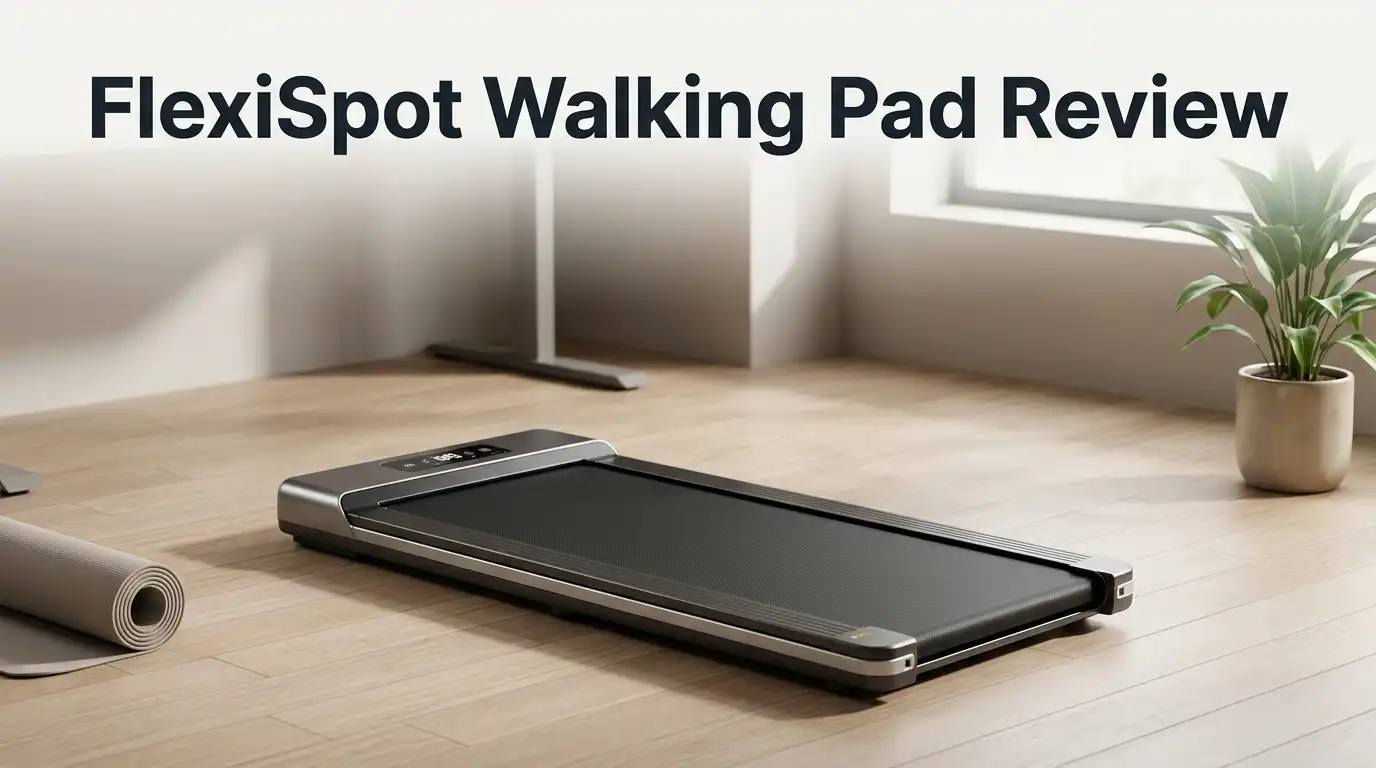
FlexiSpot Walking Pad Review 2026: Worth Buying?
Sitting all day hurts. Your back aches, your legs feel heavy, and your step count stays stuck at 1,200 by 6 PM. A walking pad fixes that problem without stealing an hour from your schedule.
FlexiSpot, the brand most people know for standing desks, now sells several walking pads that promise quiet motors, real incline, and storage under your sofa.
This review covers the good, the annoying, and the stuff FlexiSpot never mentions in its marketing. Keep reading before you spend your money.
In a Nutshell:
- The build quality is genuinely strong. FlexiSpot walking pads use reinforced base tubes, rubberised feet, and multilayer belts. Owners who moved over from cheaper Kingsmith models report far less desk shake and wobble on carpet.
- Noise sits under 45 decibels at walking speeds. WIRED named the MotionX Ultra the quietest walking pad in its test group. At 2 to 4 km/h, coworkers on Zoom will not hear you. Above 4.5 km/h, they will.
- The 12 percent auto incline is the standout feature. Nine incline levels put the MotionX Ultra ahead of most rivals in its price class. Incline burns more calories at slower, knee friendly speeds.
- Setup takes under ten minutes. No assembly, no app pairing, no tools except the belt alignment key. Batteries for the remote are not included, which is a small annoyance.
- Real weaknesses exist. Several owners report squeaking, knocking, or high pitched belt noise after a few weeks. There is no companion app, no heart rate tracking, and the deck is too narrow for comfortable running.
- Best fit: desk workers who want 5,000 extra steps a day. Poor fit: runners, tall users with long strides, and data obsessed fitness trackers.
What Is the FlexiSpot Walking Pad?

Last update on 2026-10-17 / Affiliate links / Images from Amazon Product Advertising API
A FlexiSpot walking pad is a slim motorised treadmill with no handlebars. It slides under a standing desk so you can walk while you type, read, or take calls.
The lineup includes the MotionX Ultra (WPM03) with auto incline, the MotionX Pro 2 in 1 model with a folding riser bar, and the PortaGo foldable pad for tight apartments.
All models share the same core idea. You get a low profile deck roughly 39 to 47 inches long, a quiet brushless motor, an LED display, and a wireless remote.
Speeds typically run from 0.6 mph to 4 mph on walking models. FlexiSpot positions these as movement tools, not cardio machines. That framing matters, and it explains most of the design choices you will read about below.
Unboxing Experience and First Impressions
The box arrives heavy. Expect roughly 60 to 75 pounds depending on the model, so grab a second person or slide it along the floor. FlexiSpot packs the unit in thick moulded foam with corner guards. Nothing in my unit shifted during shipping, and owner reports echo that experience.
Inside you find the walking pad itself, a power cable, a remote control, an Allen key, a small bottle of silicone lubricant, and a printed manual. The pad ships fully assembled. You lift it out, set it flat, plug it in, and press start.
The first thing you notice is the finish. The deck feels dense underfoot, not hollow or plasticky. The belt has a slightly grippy texture. It does not feel like a cheap import, which is the honest first impression most buyers share.
Build Quality and Design
FlexiSpot builds these pads around two reinforced steel base tubes. That structure supports a 275 pound weight capacity on the MotionX Ultra, which beats many competitors sitting at 220 pounds. Four shock absorbing pads sit under the deck, two TPR pads at the front and two PVC pads at the rear, paired with EVA strips along the frame.
The practical result is stability. Walking at 3 km/h produces almost no monitor shake, even on thick carpet, because the rubberised feet lift the frame slightly off the pile. Push past 4.5 km/h and you will notice mild vibration through the desk.
The surface finish is matte dark grey or black. It hides dust reasonably well. The design is plain rather than stylish, but it disappears under a desk, which is exactly the point.
Top 3 Alternative for FlexiSpot Walking Pad

Last update on 2026-10-17 / Affiliate links / Images from Amazon Product Advertising API
UREVO Auto Incline Walking Pad

Last update on 2026-10-17 / Affiliate links / Images from Amazon Product Advertising API
WalkingPad C2 Foldable Treadmill

Last update on 2026-10-17 / Affiliate links / Images from Amazon Product Advertising API
Goplus Under Desk Walking Pad
Setup and Belt Alignment
Setup is the easiest part of ownership. Unfold or unpack the pad, plug the power cable into a standard outlet, flip the power switch, and insert two AAA batteries into the remote. FlexiSpot does not include those batteries, so buy a pack before delivery day.
One common hiccup appears early. The belt sometimes arrives slightly off centre after shipping. The fix takes two minutes. Two tension bolts sit at the rear of the deck, one on each side. A quarter turn clockwise on the side where the belt drifts pulls it back to centre.
Check belt alignment during your first week of use. New belts stretch a little. Owners who ignore this step often blame the machine later for noise that a simple adjustment would have solved.
Speed Range and Walking Performance
Walking models run from roughly 0.6 mph up to 4 mph, or 1 to 6 km/h depending on your region. That range covers everything from a slow shuffle during a focused writing session to a brisk walk during a podcast.
In practice, 2 mph is the sweet spot for typing accuracy. You can still hit keys cleanly and read small text. Around 3 mph, typing becomes sloppy but calls and reading stay comfortable. At 3.7 to 4 mph you are walking fast enough that work stops and exercise starts.
Calorie numbers from real users land around 120 to 140 calories per 30 minute session at moderate speed. Push to the top speed and 250 calories in 30 minutes becomes realistic, though that depends heavily on your weight and height.
Noise Levels During Work Calls
FlexiSpot claims under 45 decibels. WIRED tested the MotionX Ultra and named it the quietest pad in its roundup, so the claim holds up under independent testing.
Here is the nuance marketing skips. Motor noise is quiet. Footfall noise is not. The belt itself hums softly, but your own steps create a rhythmic thud that microphones pick up. Below 4 km/h, most call participants hear nothing. Between 4 and 6 km/h, the sound becomes noticeable on an open mic.
Noise cancelling software solves this easily. Users running NVIDIA Broadcast or Krisp report zero complaints from colleagues. If you live in an apartment with downstairs neighbours, add a rubber mat underneath. That single accessory cuts transmitted impact noise more than any motor spec.
The 12 Percent Auto Incline Feature
The MotionX Ultra offers nine incline levels reaching 12 percent, controlled entirely from the remote. No manual risers, no bending down. This is the single best reason to choose FlexiSpot over cheaper flat pads.
Incline changes the math on calorie burn. Walking at 2.5 mph on a 10 percent grade burns roughly the same energy as jogging on flat ground, but your knees take far less impact. For anyone with joint concerns, that tradeoff is valuable.
Six preset modes cover walking, climbing, jogging, and interval style sessions. You can set targets for time, distance, calories, or speed. The climbing mode is genuinely challenging after ten minutes, and it turns a boring desk walk into something closer to real training.
Remote Control and LED Display
FlexiSpot uses a radio frequency remote rather than infrared. That choice matters more than it sounds. You do not need line of sight, so the remote works from your desk, your pocket, or across the room.
The remote holds magnetically to a slot on the pad, which solves the classic problem of losing it under the sofa. Buttons cover start, stop, speed up, speed down, incline up, incline down, and mode. Some models add preset speed buttons at 2 km/h and 4 km/h.
The LED display sits at the front edge and cycles through speed, distance, time, and calories. It is bright and readable from standing height. The display is basic by design, with no touchscreen, no colour, and no menus to learn.
Comfort, Shock Absorption, and Joint Impact
The deck uses a multilayer belt over a cushioned base. Compared with walking on concrete or hardwood, the difference is obvious within five minutes. Your heels land softer and your shins stay calmer during long sessions.
Several owners with knee issues report that daily walking pad use reduced stiffness rather than aggravating it. Low speed walking with incline appears gentler than outdoor pavement walking for many people.
Deck width is the limiting factor. The walking surface measures around 16.9 inches across on the MotionX Ultra. That is fine for most users but tight if you naturally swing your feet outward. Tall users above six feet two inches may find their stride cramped at higher speeds, because the deck length caps at roughly 39 to 47 inches.
Storage and Portability
Every FlexiSpot walking pad includes transport wheels and a pull handle. You tilt the pad, roll it to a wall, and lean it upright or slide it flat under furniture.
The PortaGo folds in half, which cuts its footprint roughly in half for closet storage. The MotionX Ultra does not fold but stays slim enough to slide under a bed frame or sofa with reasonable clearance.
Be honest with yourself about weight. These units weigh 60 pounds or more. Rolling across hardwood is easy. Lifting one up a flight of stairs alone is not. Decide where the pad lives before it arrives, because most owners move it once and then leave it there permanently.
What the FlexiSpot Walking Pad Does Not Do Well
Authentic reviews cover failures, so here they are.
Noise complaints after a few weeks are the most common issue. Multiple owners report squeaking, knocking from under the display housing, or a high pitched sound on every footstep. Some solved it with lubrication and roller adjustment. Others requested refunds after repeated attempts failed. One owner described a loud tapping motor sound on day two followed by belt slippage.
There is no app. No workout history, no cloud sync, no programs beyond the built in modes. FlexiSpot is a furniture company, not a fitness tech company, and it shows.
No heart rate monitoring. No chest strap pairing, no handle sensors.
You cannot really run on it. The deck is too short and too narrow for anything beyond a light jog.
Customer service is inconsistent. Some buyers describe fast replacements. Others report support refusing to explain basic maintenance.
Pros and Cons
Pros
- Quiet motor under 45 decibels, verified by independent testing
- Nine level auto incline reaching 12 percent, rare at this price
- 275 pound weight capacity with reinforced steel base tubes
- Arrives fully assembled with setup finished in under ten minutes
- Radio frequency remote with magnetic storage slot
- Two year warranty, longer than most competing brands
- Strong shock absorption that protects knees and ankles
- Auto stop safety feature after roughly ten seconds of inactivity
Cons
- Reports of squeaking and knocking noises after several weeks of use
- No companion app, no workout history, no cloud tracking
- No heart rate monitoring of any kind
- Remote batteries are not included in the box
- Deck width of 16.9 inches feels narrow for wide stance walkers
- Too short for genuine running
- Heavy at 60 pounds or more, awkward to carry upstairs
- Customer support quality varies widely by region
Who Should Buy the FlexiSpot Walking Pad?
Buy it if you work from home and sit for six or more hours daily. The pad turns dead desk time into 5,000 or 8,000 extra steps without touching your calendar. Remote workers, writers, customer support staff, and anyone on long video calls benefit most.
Buy it if you want incline. The 12 percent auto incline on the MotionX Ultra is the best value feature in this category, and it makes slow walking surprisingly effective.
Skip it if you want a running machine. Buy a folding treadmill with handrails instead.
Skip it if you track everything. The absence of an app and heart rate data frustrates data driven users. Garmin and Apple Watch owners can work around this, but it is friction you should expect going in.
Price and Warranty Value
FlexiSpot walking pads typically land between 250 and 500 dollars depending on model and sale timing. The MotionX Ultra sits near the top of that range because of the incline motor.
The two year warranty is the quiet hero here. Most walking pad brands offer one year. Given that motor and roller problems are the main failure point in this category, a second year of coverage carries real financial value.
Watch for sales. FlexiSpot discounts aggressively during Prime Day, Black Friday, and New Year fitness season. Paying full retail is rarely necessary.
Compare the total package rather than the sticker price. A cheaper pad with a one year warranty, no incline, and a 220 pound capacity is not actually cheaper if it fails in month fourteen.
Final Verdict
The FlexiSpot walking pad earns a solid recommendation with clear limits. Build quality, quietness, and the 12 percent auto incline put it ahead of most competitors under 500 dollars. Setup is painless. Stability on carpet is better than Kingsmith alternatives. The two year warranty adds real peace of mind.
The weaknesses are equally real. A meaningful minority of owners hit belt noise problems within weeks. There is no app, no heart rate data, and no running capability. Support quality is a coin flip.
My honest take: this is a very good walking tool and a mediocre fitness gadget. If you want more daily movement and nothing more, it delivers. If you want a connected training platform, look elsewhere.
Rating: 4.2 out of 5.
Frequently Asked Questions
How long does a FlexiSpot walking pad last?
Most owners report three or more years of daily use with basic maintenance. Lubricate the belt every three months, keep it centred, and wipe dust from the deck weekly. Motors and rollers are the usual failure points.
Can you run on a FlexiSpot walking pad?
No. Walking models cap at 4 mph and the deck measures under 47 inches. Light jogging works for short bursts. Real running requires a longer deck and handrails.
Does the FlexiSpot walking pad work on carpet?
Yes. The rubberised feet lift the frame above the pile, which prevents the vibration problems common with ultra low profile pads. Thick shag carpet may still cause slight instability at higher speeds.
Is the FlexiSpot walking pad quiet enough for Zoom calls?
Yes, below 4 km/h. The motor stays under 45 decibels. Your footsteps create the audible sound, so use noise cancelling software or a rubber mat for best results.
Do you need to assemble the FlexiSpot walking pad?
No. It arrives fully assembled. You only plug it in, add batteries to the remote, and check belt alignment with the included Allen key.
Why is my FlexiSpot walking pad squeaking?
Squeaking usually means the belt needs lubricant or the rollers need tension adjustment. Apply silicone lubricant under the belt centre, then run it at low speed for five minutes. If the noise continues, contact support under warranty.
How many calories does a walking pad burn?
Expect 120 to 140 calories in a 30 minute session at moderate speed. Adding incline or raising speed to 4 mph can push that toward 250 calories, depending on body weight and height.

Hi, I’m Sarah Hill — the founder and voice behind Heavy Lift Vault. I’m passionate about fitness, strength training, and health technology. I spend my time researching, testing, and reviewing workout equipment and health devices so you don’t have to guess. My goal is to deliver honest, detailed, and trustworthy reviews that help you invest wisely in your fitness journey.


