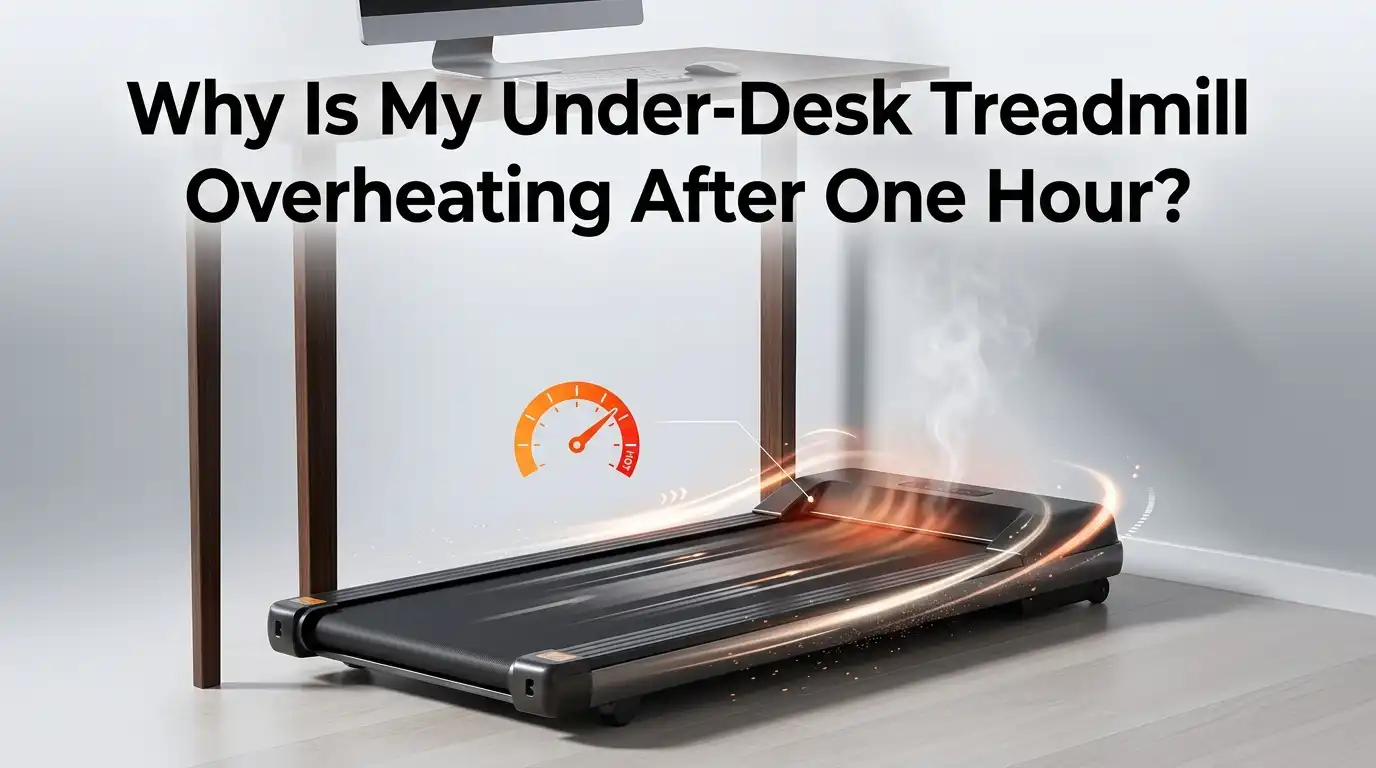
Why Is My Under-Desk Treadmill Overheating After One Hour?
Your under-desk treadmill felt like the perfect work companion. You walked, you typed, and you stayed active all day. Then something changed.
After about one hour, the machine slows down, smells warm, or shuts off completely. That hot motor smell is hard to ignore, and it makes you worry about safety and money.
You are not alone in this. Many walking pad owners face the exact same problem around the one hour mark. The good news is that most overheating issues have simple causes.
Key Takeaways
- Slow walking speeds cause poor cooling. The motor fan barely spins when you walk slowly, so heat builds up fast. This is the single biggest reason walking pads overheat after one hour.
- Dry belts create heavy friction. A belt without lubricant forces the motor to work harder, which raises heat quickly. Lubrication is the cheapest and most effective fix you can do.
- Dust and poor airflow trap heat inside the motor. A clogged motor compartment and a treadmill pushed into a tight corner both reduce cooling.
- Duty cycle limits matter a lot. Budget walking pads often have small motors built for two hours of light use per day, not eight straight hours.
- Thermal protection is a safety feature, not a fault. When your treadmill shuts off, it is protecting itself from damage. Let it cool fully before restarting.
- Smart habits prevent most problems. Regular cleaning, lubrication, rest breaks, and extra airflow will keep your machine running cool for years.
Understanding Why Your Under-Desk Treadmill Overheats
Your treadmill overheats because heat builds up faster than the machine can release it. The motor creates heat as it works. The belt and deck create friction as they rub together. When these two heat sources rise too high, the internal temperature crosses a safe limit.
Most walking pads have a thermal protection sensor inside. This sensor watches the motor temperature. When the heat passes the limit, the sensor cuts power. That is why your machine stops around the one hour mark.
The one hour timing is not random. It is the point where slow continuous walking overwhelms a small motor’s cooling ability. The motor cannot shed heat fast enough, so the temperature climbs steadily until the cutoff triggers. Understanding this core process helps every fix below make sense.
The Real Reason Slow Walking Causes More Heat
This surprises many people. Walking slowly is actually harder on the motor than light jogging. The reason is airflow. Most treadmill motors have an internal cooling fan attached to the motor shaft. This fan only spins fast when the motor spins fast.
At slow walking speeds, the fan barely moves. Almost no air flows across the hot motor parts. So the heat just sits there and grows. The motor slowly cooks itself while you walk at two miles per hour. This is a known design issue with budget under-desk models.
This explains why your treadmill might handle a quick jog fine but overheat during slow office walking. The fix is to add outside airflow, which we cover later. For now, know that slow speed equals weak built-in cooling. That single fact unlocks most of your overheating mystery.
Check and Lubricate the Belt First
A dry belt is the most common fixable cause of overheating. When the belt loses its lubricant, friction between the belt and deck rises sharply. The motor must then pull much harder to move the belt. That extra effort turns straight into heat.
Here are the steps to fix it. First, unplug the treadmill. Second, lift one edge of the belt by hand. Third, apply a silicone based treadmill lubricant to the underside of the belt and the deck. Fourth, plug it in and walk slowly for two minutes to spread the lube evenly.
Lubricate every forty hours of use, or sooner if you walk daily. A simple test helps: reach under the belt with your hand. If the surface feels dry or sticky, it needs lube. If it feels slightly slick, you are fine.
Pros: This fix is cheap, fast, and solves a huge share of overheating cases. Cons: You must repeat it regularly, and using the wrong lubricant like WD40 or oil can damage the belt badly.
Clean Out Dust and Debris From the Motor
Dust is a silent heat trap. Over weeks, dust, hair, and floor debris collect inside the motor compartment. This buildup blocks vents and coats the motor. Trapped dust acts like a blanket that keeps heat from escaping.
To clean it, unplug the machine first. Then remove the screws on the motor cover, which usually sits at the front. Lift the cover off carefully. Use a vacuum with a narrow nozzle to suck out the dust. A soft brush helps loosen stubborn buildup. Never use water inside the motor area.
Do this cleaning every two to three months if you use the treadmill daily. Homes with pets or carpet need more frequent cleaning.
Pros: Cleaning improves airflow instantly and costs nothing but time. It also extends motor life. Cons: You must open the housing, which can void some warranties, so check your manual first. It also requires basic comfort with a screwdriver.
Improve Airflow and Ventilation Around the Treadmill
Where you place your treadmill matters more than you think. A walking pad shoved against a wall or stuffed in a tight corner cannot release heat. The warm air has nowhere to go. Heat needs open space to escape into the room.
Give your treadmill room to breathe. Keep at least one to two feet of open space around the motor area. Avoid placing it on thick carpet, which blocks the underside vents. A hard floor or a thin treadmill mat works better for airflow.
You can go further by aiming a small fan at the motor housing while you walk. This adds the cooling airflow that slow walking fails to create. Many users report their motor stays cool to the touch with a simple fan trick.
Pros: Better airflow is free or very cheap and works very well, especially with an added fan. Cons: A fan adds slight noise, and you need a power outlet and floor space nearby for it.
Respect the Duty Cycle and Continuous Run Time
Every treadmill has a duty cycle. This is the amount of time it can run safely before it needs rest. Many budget walking pads are built for around two hours of use per day, not eight straight hours. Pushing past the duty cycle is a top cause of one hour overheating.
Check your manual for the rated continuous run time. If it says one hour, then a shutdown at one hour is the machine doing its job. Heavier duty models from brands focused on office use can often run four to six hours, but they cost more and weigh more.
Match your walking habits to your machine’s limit. If you need all day walking, plan around your model’s true capacity.
Pros: Respecting limits protects your motor and warranty, and costs nothing. Cons: It restricts how long you can walk per session, which frustrates heavy users who want continuous all day movement.
Take Smart Cooling Breaks During Long Sessions
If your treadmill cannot run for hours, work with that limit instead of fighting it. Short rest breaks let the motor shed built up heat before it reaches the cutoff point. This simple habit can double your daily walking time.
Try this pattern. Walk for forty five minutes, then stop and rest the motor for ten to fifteen minutes. During the break, leave the machine off and let air circulate. Then resume. Breaking your walking into chunks keeps the motor below its danger temperature.
You can sync these breaks with your work tasks. Take calls, read emails, or stretch during the rest period. Your body benefits from the variety, and your treadmill stays healthy.
Pros: Breaks are completely free, easy to do, and reduce strain on the motor every single day. Cons: You lose continuous walking time, and it takes discipline to remember and follow the schedule consistently.
Reset the Thermal Protection Safely
When thermal protection cuts power, your treadmill needs a proper reset. Rushing this step can cause more harm. The motor must reach a safe temperature before it runs again.
Follow these steps. First, turn the treadmill off and unplug it from the wall. Second, let it sit untouched for at least thirty to forty five minutes. Touch the motor cover to check; it should feel cool, not warm. Third, plug it back in and turn it on.
Some models have a manual reset switch near the power cord or under the motor cover. If your machine has a small red reset button, press it after the unit cools. Check your manual for the exact location.
Pros: A proper reset restores normal function without any cost or repair. Cons: It takes patience, and frequent resets signal a deeper problem that you must address with the other fixes here.
Check the Belt Tension and Alignment
A belt that is too tight or off center creates extra friction and heat. Tension that is too high makes the motor strain. A belt that drifts to one side rubs the frame. Both problems raise the temperature steadily.
Test the tension first. Lift the belt in the center. You should be able to raise it about two to three inches off the deck. If it lifts much higher, it is too loose. If it barely lifts, it is too tight. Use the bolts at the rear roller to adjust, turning small amounts at a time.
For alignment, walk slowly and watch the belt. If it slides toward one edge, tighten that side’s rear bolt slightly. Make tiny quarter turn adjustments and recheck.
Pros: Correct tension reduces friction and protects both belt and motor at no cost. Cons: Over tightening is easy to do by mistake, and poor adjustment can make tracking worse, so go slowly.
Watch Your Weight Limit and Walking Load
Every treadmill has a maximum user weight. Walking near or above this limit forces the motor to work much harder. That extra load creates more heat and pushes the machine toward its cutoff faster.
Check the weight rating in your manual. Remember that the rating often assumes light walking, not constant heavy use. A user close to the limit who walks for hours puts real stress on a small motor. Staying well under the rated capacity keeps the motor cooler and lasts longer.
If you are near the limit, a model with a higher capacity and a stronger motor will serve you far better. A larger motor produces less heat doing the same work.
Pros: Knowing your load helps you set realistic expectations and avoid motor damage. Cons: This fix may mean buying a sturdier machine, which costs more money and adds weight and size.
Add an External Cooling Fan or DIY Airflow Hack
This is one of the most effective tricks for slow walkers. Since the internal fan barely works at walking speed, you add your own airflow. External cooling directly attacks the root cause of slow speed overheating.
The simplest version is to point a box fan or desk fan at the motor cover while you walk. Some users remove the cover for the session and aim the fan straight at the motor. One walking pad owner cut a small hole in the cover and funneled air onto the motor, and reported it stayed cold for hours.
Start with the easy fan method before trying any DIY modifications. A basic fan often solves the problem completely.
Pros: This directly fixes the weak cooling problem and lets you walk far longer. A simple fan is cheap and very effective. Cons: DIY cover modifications can void your warranty and need basic tools. Fans add noise and use a power outlet.
Know When the Motor or Electronics Are Failing
Sometimes overheating points to a real hardware fault. Worn motor brushes, damaged wiring, or a failing control board can all cause heat that no cleaning will fix. Knowing these signs saves you from wasting time on the wrong fix.
Watch for warning signs. A burning electrical smell, sparks near the motor, grinding noises, or shutdowns that happen even after cleaning and lubrication all suggest internal failure. If you smell burning plastic or see smoke, stop using the machine right away.
At that point, contact the manufacturer if you are under warranty. For older units, a repair technician can test the motor brushes and control board. Sometimes replacement is cheaper than repair.
Pros: Spotting failure early prevents fire risk and protects your home. Cons: Repairs cost money, parts can be hard to find for budget models, and some failures mean the machine is not worth saving.
Build a Long Term Maintenance Routine
Prevention beats repair every time. A steady maintenance habit keeps your treadmill cool and stretches its lifespan to several years. Small regular tasks prevent the big overheating failures.
Build a simple schedule. Lubricate the belt every forty hours of use. Vacuum around and under the machine weekly. Open and clean the motor compartment every two to three months. Check belt tension and alignment monthly. Wipe down the deck and belt surface after heavy walking days.
Keep your machine on a hard floor or thin mat, give it open space, and use a fan during long slow sessions. These habits cost little but pay off greatly.
Pros: A routine prevents most overheating, saves repair money, and keeps performance strong for years. Cons: It requires consistent effort and a few cheap supplies like lubricant, and it is easy to forget without reminders.
Frequently Asked Questions
Is it normal for my under-desk treadmill to get warm?
Yes, some warmth is completely normal. The motor and belt friction naturally create heat during use. A warm motor cover is fine. However, a hot cover, a burning smell, or an automatic shutdown means heat has crossed a safe level and needs attention.
How long can an under-desk treadmill run continuously?
It depends on the model. Many budget walking pads handle around one to two hours per day. Heavier duty office models can run four to six hours. Check your manual for the rated continuous run time, since exceeding it triggers the overheating you are seeing.
Can I leave my treadmill running while I take a break?
It is better to turn it off during breaks. Letting the motor rest while powered down helps it cool faster and saves wear. Running an empty belt still generates heat and friction, so switching it off fully gives the best cooling benefit.
What lubricant should I use on the belt?
Use only a silicone based treadmill lubricant made for walking belts. Never use cooking oil, WD40, or general purpose grease. These wrong products attract dust, damage the belt, and can make overheating much worse rather than better.
Will a cooling fan really stop my treadmill from overheating?
In many cases, yes. Since the internal fan barely spins at slow walking speeds, an external fan adds the missing airflow. Pointing a fan at the motor cover often keeps the motor cool enough to run far longer without hitting the thermal cutoff.
When should I stop trying to fix it and replace the machine?
Replace it when you smell burning, see smoke or sparks, or when overheating continues after cleaning, lubrication, and proper rest. These signs point to internal motor or electronic failure. For cheap models, replacement is often safer and more affordable than repair.

Hi, I’m Sarah Hill — the founder and voice behind Heavy Lift Vault. I’m passionate about fitness, strength training, and health technology. I spend my time researching, testing, and reviewing workout equipment and health devices so you don’t have to guess. My goal is to deliver honest, detailed, and trustworthy reviews that help you invest wisely in your fitness journey.